Kitchen Display System (KDS) - Benefits & POS Guide
Learn what a Kitchen Display System (KDS) is, how it works with POS, and its benefits for faster orders, better kitchen workflow, and improved accuracy.
Kitchen display systems
Updated On: April 17, 2026 | Published On: April 17, 2026 |

-Benefits-&-POS-Guide-800-82c871a12.webp)
Learn what a Kitchen Display System (KDS) is, how it works with POS, and its benefits for faster orders, better kitchen workflow, and improved accuracy.
A Kitchen Display System (KDS) is a digital screen-based system that routes orders straight from your POS and web channels in real time, replacing paper tickets in the kitchen. By allocating products to the appropriate prep stations, cutting down on mistakes and waste, expediting service, and providing management with useful data, it enhances workflow through kitchen workflow automation. To ensure that your back-of-house operations function properly, you should consider their integration capabilities, durability, scalability, and support while selecting the best KDS. One of the major benefits of a kitchen display system is its ability to streamline kitchen operations while supporting POS integration with kitchen displays for faster and more accurate order handling.

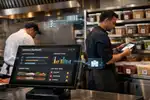
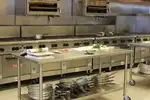
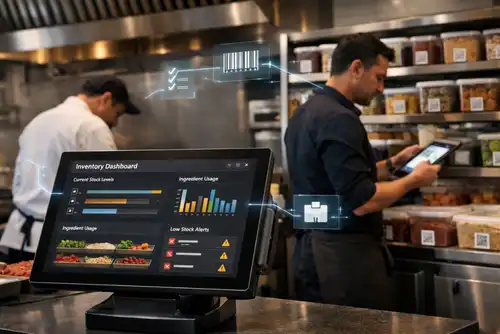
A KDS is a large digital screen or monitor installed in a commercial kitchen to receive and display orders directly from your POS or internet ordering system, enabling seamless POS integration with the kitchen display. When a customer places an order at the counter, through the app, or online, it displays immediately on the KDS and is directed to the appropriate station, supporting smooth kitchen workflow automation. This eliminates the need for paper tickets, which might be misplaced, misunderstood, or delayed. The technology enables real-time order updates for all back-of-house workers, improving coordination and reducing bottlenecks. The screens are built to handle harsh kitchen conditions, heat, grease, and moisture, ensuring reliable performance in the same demanding environments where paper tickets were once used, making them a practical kitchen display system that restaurants depend on every day.
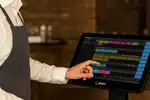
By digitizing all orders and simplifying the order preparation process, a KDS increases a kitchen's productivity through advanced kitchen workflow automation. This lowers food waste, boosts revenue, and enhances visitor satisfaction. Orders placed online or through a restaurant's POS are instantly transmitted to the KDS, where they are displayed on a digital screen. The KDS shows all the details the kitchen crew needs to prepare the order, such as the dish's name, any special requests or changes, and the order or table number. Orders may be bumped, held, or edited as needed, and they are arranged on the KDS to assist your staff in keeping track of when orders are due.
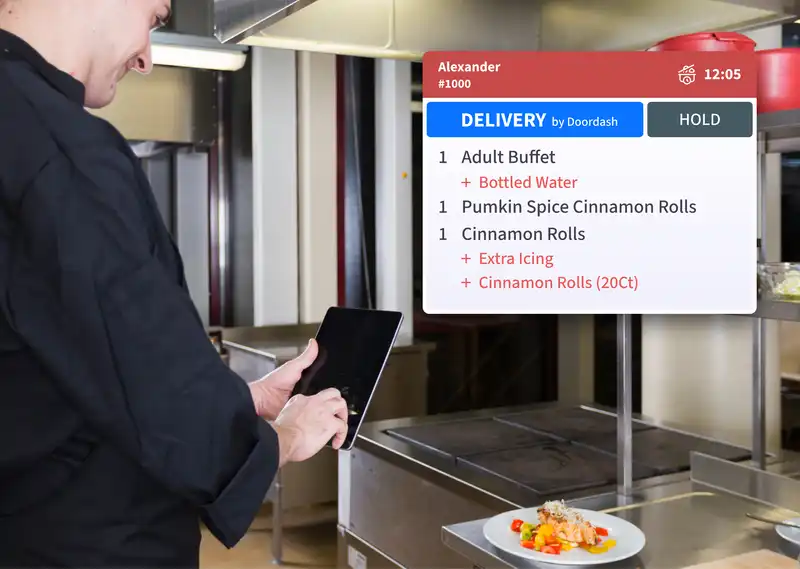
Kitchen display systems. Paper tickets served well for many years; however, contemporary restaurants require quicker and more dependable methods to handle orders. Numerous eateries are shifting from conventional paper tickets to digital KDS. Paper systems frequently generate minor issues that gradually impact operations. Tickets might drop to the ground, get stained by grease, or become hard to read during peak service times. When the kitchen gets busy, several tickets can accumulate, complicating the staff's ability to determine which order to prioritize. A kitchen display system addresses these problems by clearly presenting orders on a digital screen. Every order shows up immediately once it's submitted, and the kitchen staff can clearly see what must be made. Orders are automatically organized by time, station, or priority, resulting in a more structured workflow. Digital systems enable managers to monitor performance. They can observe preparation durations, order hold-ups, and kitchen efficiency. Such visibility is nearly unattainable with paper tickets. Due to these benefits, numerous restaurants now view a KDS not merely as a technological enhancement but as a crucial element of effective kitchen management.
A KDS makes it easier for kitchen employees to handle orders in the restaurant and hotel industries. Orders are shown on a digital display so that employees may observe requests and updates in real time. Orders and any changes made in real time after they are fired are readily visible to kitchen personnel as soon as they are received. The result is faster preparation, better accuracy, and fewer mistakes across the board. With a KDS in place, restaurants can -
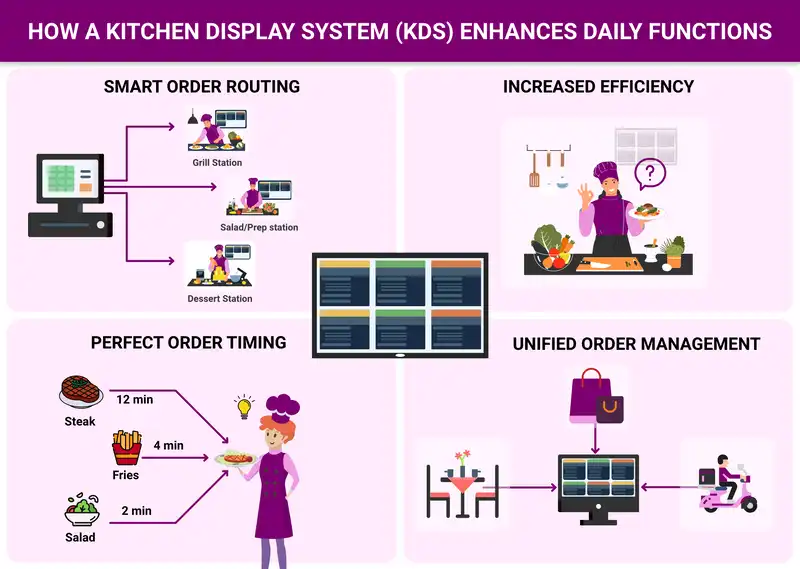
A KDS offers more than merely displaying orders on a monitor. It serves as the main communication instrument within the kitchen and assists teams in operating more systematically. When a restaurant gets multiple orders simultaneously, the KDS allocates them to various kitchen stations. For instance, grill requests are sent to the grill area, salads are directed to the prep area, and desserts are forwarded to the dessert area. Every station only observes the orders pertinent to its responsibilities. This minimizes uncertainty and permits kitchen personnel to concentrate on their duties. Cooks can start preparing dishes right away instead of looking for tickets or asking questions. The system additionally aids in preserving correct order timing. When multiple items belong to the same order, the KDS can manage when each item should be prepared, ensuring the whole meal is ready simultaneously. For establishments that manage delivery, dine-in, and takeout orders simultaneously, this degree of organization is highly beneficial. The kitchen staff can swiftly prioritize urgent orders and ensure service runs efficiently even during busy times.
1. Enhanced Precision of Orders
Improved order accuracy is one of the most well-known advantages of kitchen display systems. Particularly in busy kitchens with heat, grease, and noise, paper tickets might be misplaced, broken, misread, or misinterpreted.
How using a Plum KDS Changed it -
KDS systems exist in a variety of forms, from basic systems that come with a POS system to more sophisticated integrated systems that complement a restaurant's POS system and provide additional features to meet your needs. Order management and inventory monitoring should be synced thanks to your KDS's smooth integration with the restaurant's POS system. For more seamless functioning, it could also interface with other systems like reservation or online ordering platforms. The demands and specifications of the restaurant will determine the features and capabilities of a KDS. Let's examine the most popular KDS solutions available.
Onboard KDS - As part of the agreement, certain POS systems have created a KDS solution. The KDS software that comes with your POS system will usually have limited functionality. Customizing your order view or obtaining the comprehensive information required to maximize your business could be challenging.
Hardware-Based KDS - This kind of KDS usually comprises pre-loaded software on specialized hardware, like monitors or screens, that are installed in the kitchen. For order management and ticket routing, a hardware-based KDS would need extra parts like controllers, bump bars, and printers. When you need to expand your setup or replace your equipment, these restricted display solutions may wind up costing more.
Integrative KDS - With a wireless connection, adaptable KDS systems may easily integrate with your POS system and make use of numerous devices. Orders are sent to the linked device, screen, or tablet from the POS or ordering systems. You can use mobile applications or web-based interfaces to access your KDS configuration and data. Scalability, real-time updates, and more device and POS flexibility are all provided by an app-based KDS.
1. Display Screens - High-resolution tablets or monitors that vividly display order information in dimly lit kitchens.
2. Processing Unit - A computer or tablet that handles order data and runs the KDS software.
3. Network Infrastructure - A dependable local network or internet connection to guarantee order transmission in real time.
4. Mounting Systems - Safe brackets and supports made to safeguard equipment in busy culinary settings while positioning screens at ideal viewing angles.
Choosing the appropriate kitchen display system demands thorough preparation. Each restaurant functions uniquely, so the ideal system should align with your kitchen design, order quantity, and service method. Restaurant owners should assess their existing POS system. A KDS functions optimally when it seamlessly connects with the current POS software. Smooth POS integration guarantees that orders are sent promptly and precisely. Then, take into account the dimensions and intricacy of the kitchen. More spacious kitchens featuring various prep stations might need multiple screens positioned at different work zones. Compact kitchens might require just one or two screens. Longevity is another key aspect. Culinary spaces can be warm, damp, and oily. The equipment utilized for the display system must be engineered to endure these circumstances. Restaurant owners ought to consider scalability as well. As the company expands, the system must accommodate extra screens, sites, or online ordering options. Ultimately, dependable technical assistance is crucial. A reliable support team guarantees that any technical problem can be addressed swiftly to prevent interruptions in kitchen operations. Spending time to choose the appropriate KDS will enable restaurants to create a more efficient and organized kitchen for the future.
By substituting real-time digital order displays for paper tickets, a KDS helps restaurants decrease mistakes, enhance communication, and provide quicker, more reliable service through kitchen workflow automation. A KDS delivers essential operational clarity using the core system’s core features, while its long-term benefits include higher accuracy, faster service, and stronger team coordination. As competition increases, restaurants that invest in strong POS integration with kitchen display are better positioned to maintain consistency, reduce errors, and deliver dependable customer experiences.

-Benefits-&-POS-Guide-150-82c871a12.webp)

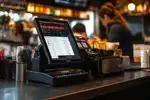



























The primary aim of a kitchen display system is to substitute paper tickets with digital order screens in the kitchen. It transmits orders directly from the POS system to kitchen displays, enabling staff to prepare food efficiently and correctly.
A KDS interfaces directly with the restaurant's POS system. When a customer makes an order at the counter, via the internet, or through a mobile application, the order is immediately transmitted to the kitchen display monitor, allowing the kitchen team to start working on it.
Yes. A major benefit of a KDS is enhanced order precision. Digital instructions that are clear remove handwriting problems and guarantee that all special requests and modifications are noticeable to kitchen personnel.
Yes. Even small restaurants benefit from using a KDS because it enhances organization and accelerates service. Numerous contemporary KDS systems are adaptable and can be tailored according to the restaurant's dimensions.
A standard KDS configuration comprises display screens, KDS software, a processing device like a tablet or computer, and a reliable network connection linking the system to the POS platform.
Yes. The majority of contemporary KDS systems can accept orders from online ordering platforms, delivery services, and mobile applications. This assists restaurants in handling all incoming orders within a single, structured system.
-Benefits-&-POS-Guide-500-82c871a12.webp)
2026-03-20
Read More