Top 10 Restaurant POS Systems in 2026
Choosing the best restaurant POS systems in the USA for 2026 is one of the most important decisions a restaurant owner can make. A modern restaurant POS system is no longer just about accepting payments. But it must have the necessary features to play a key role in operations like orders, inventory, staff flow, reporting, online ordering, and customer experience.
In the US market, where competition is intense and margins are tight, suitable restaurant POS software can directly impact speed, accuracy, and profitability.
This guide explores the top restaurant POS systems used across the United States, highlights the best of each system, and helps you compare them clearly without technical jargon. The guide is designed to make POS system comparison for restaurants simple and practical, eliminating unnecessary complexity.
Things You Should Consider before Choosing a Restaurant POS System
Before choosing from the top restaurant POS software, focus on these basics-
- Easy for staff to learn
- Stable during busy hours
- Works with online ordering and delivery
- Tracks inventory automatically
- Provides clear reports, reducing manual work
- Scales as your restaurant grows
Price matters, but ease of daily use matters more to transform expenditure into an investment.

Accept, Process, and Profit with Ease!
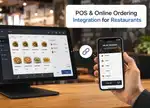
Streamline Your Online Orders with Plum POS
Top Restaurant POS Systems in the USA for 2026
Below are the 10 best restaurant POS systems widely used in the US market in 2026.
1. Plum POS
Suitable for payment-focused US restaurants
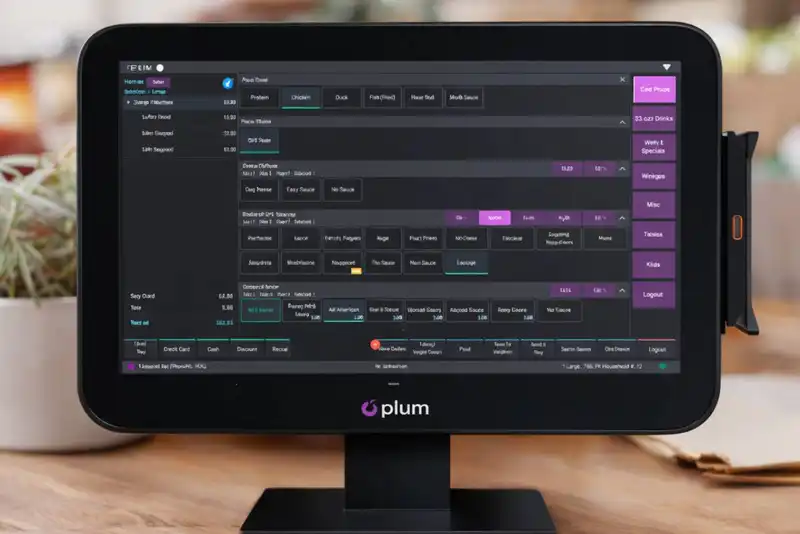
Plum POS is a restaurant-centric POS and commerce platform gaining traction in the United States thanks to its focus on reliable payment processing, straightforward operations, and simplicity. It's designed for businesses that want efficient, clutter-free POS functionality without heavy complexity or steep learning curves.
Plum combines tailored restaurant tools with powerful payment workflows, making daily operations smoother and more predictable for small to mid-sized restaurants. Whether you're running a cafe, bar, pizzeria, or full-service restaurant, Plum helps streamline order taking, payment processing, and reporting from one unified platform.
Benefits of Plum POS
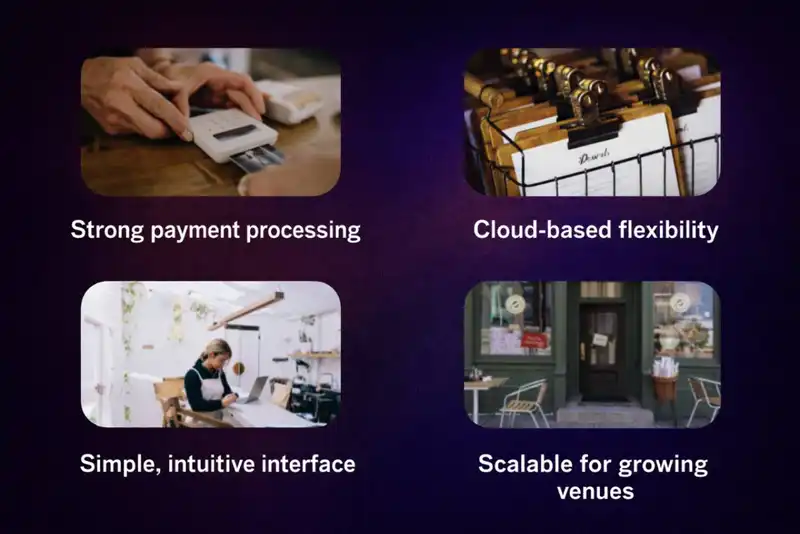
Plum POS stands out in the crowded restaurant POS landscape for a few key strengths -
Strong payment processing -
Deep focus on secure, fast, PCI-compliant payments across terminals, handhelds, and mobile devices reduces friction at checkout.
Simple, intuitive interface -
Designed with an intuitive workflow to minimize training time so staff can operate the system with confidence, even during peak hours.
Cloud-based flexibility -
Real-time syncing across devices keeps menus, pricing, and data consistent across your restaurant.
Scalable for growing venues -
From single locations to multi-unit operations, Plum's modular setup adapts to your needs.
Together, these features make Plum a dependable choice for restaurants that prioritize strong payment tools and operational simplicity.

From Click to Kitchen
Handle All Your Online Orders with Plum POS
Key Features of Plum POS
All-in-One Order Capture and Payments -
Plum POS lets you manage orders, process secure payments, and customize menus from cloud-connected terminals, handhelds, or self-service kiosks. Cloud sync ensures updates are pushed instantly across all devices.
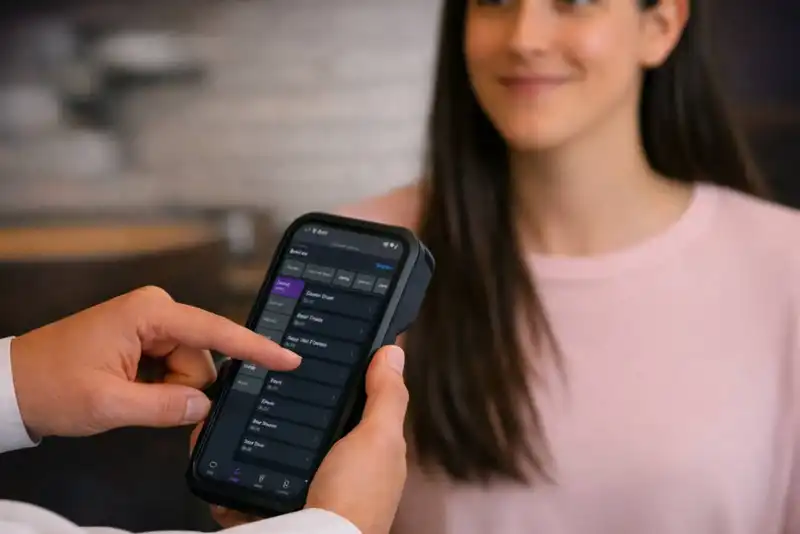
Mobile & Handheld Service -Mobile POS and handheld devices allow tableside order entry and payment acceptance, reducing trips to fixed stations and speeding up service.
Dynamic, Real-Time Menu Management -
Menus can be updated on the fly and automatically sync across your restaurant network, helping you respond to stock changes, pricing updates, or special promotions quickly.
Durable, Restaurant-Ready Hardware -
Plum's terminals and handheld devices are built for the hospitality environment with rugged, spill-resistant designs that stand up to busy service.
Deep Sales Insights & Reporting -
Robust reporting tools help restaurants monitor sales, track item performance, and make informed decisions based on real-time data.
Extended Ecosystem -
An expanding app marketplace adds tools for delivery, labor scheduling, forecasting, loyalty, and more, letting restaurants customize their tech stack as they require.
Plum POS Pricing Overview
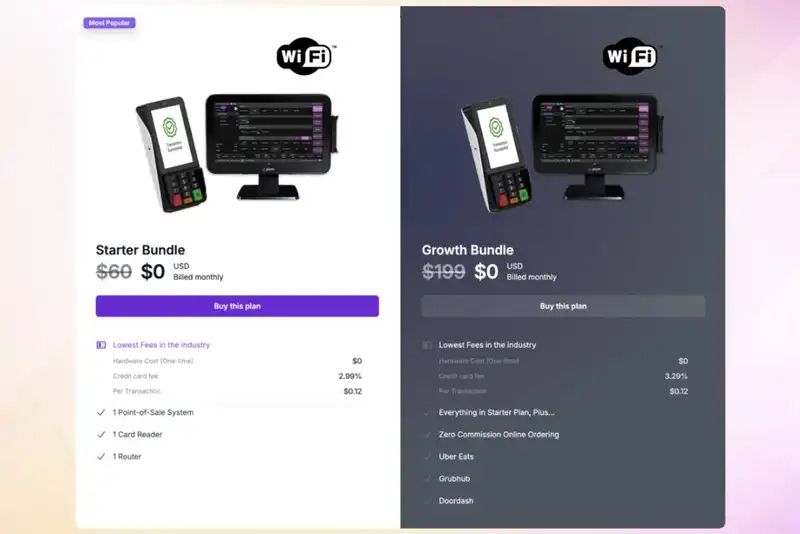
Plum POS uses a flexible bundle-based pricing structure that can scale with the needs of your restaurant. Current options include-
- Starter Bundle - Around$60/month, including a POS system, card reader, and router.
- Growth Bundle - About$199/month, adding zero-commission online ordering and support for Uber Eats, Grubhub, and DoorDash integration.
These plans are aimed at keeping costs predictable while giving restaurants access to competitive credit card processing rates and essential POS tools.
For detailed, tailored pricing including hardware options and enterprise packages, contact Plum's sales team directly.
Plum POS Summary
Plum POS is a restaurant-focused, payment-oriented POS platform that blends simplicity with powerful core features. It supports secure payments, real-time menu management, handheld and mobile ordering, and restaurant-ready hardware, all accessible through a cloud-based system that syncs across your business. Its bundle pricing and flexible approach make it a compelling choice for U.S. restaurants seeking reliability, ease of use, and strong payment performance.
2. Square POS for Restaurants
Suitable mainly for small, preferably single-location restaurants.
Square POS is one of the most popular and affordable POS systems with the capability to handle all aspects of orders and payments, inventory, and e-commerce. It offers free plans and hardware flexibility, making it a suitable POS system for small restaurants with minimum requirements, especially in the early days of business. You can simply adopt its app-based approach and start using Square POS on your mobile devices like iPad or Tablet. With growth in business, you may choose from the paid plans (Plus or Premium) for advanced reporting and additional tools to manage multiple locations. You may also decide to use one of Square's sleek and designed devices.
With cloud-based technology, Square POS has the capability to sync data in real time across devices and locations, allowing restaurant owners to manage operations anytime, anywhere.
Key Features of Square Restaurant POS
User-Friendly Interface -
This POS software is super simple to use, even for beginners, so your staff can pick it up quickly with minimal training. Logging orders and sending them to the kitchen, processing payments, giving discounts, and sorting out seating can be done quickly. Its simple layout and search function mean staff can find what they need fast, which is especially useful in busy cafes and restaurants.
Flexible Payment & Hardware Options -
The system enables you to accept all the usual payment types, including credit and debit cards, contactless payments, and digital wallets. You can take payments at the counter, table, or on the go with a mobile device. Internet cuts out? No worries, you can still process payments and sync them later. This means you won't lose sales or go to waiting mode if your connection drops, and customers get through the checkout faster.
Smart Menu & Inventory Management -
You can easily create or edit menus, add custom modifiers, set prices, and apply discounts. Orders go in without a hitch and sync across all devices, which helps everyone from the servers to the kitchen staff stay aligned. These features are great for restaurants that need to get orders done quickly while reducing mistakes.
Staff Management and Tip Handling -
The POS is equipped with tools to manage employees, such as setting roles, controlling access, scheduling shifts, and tracking individual sales performance. Tip management is also built into the system, allowing tips to be split automatically among staff. Businesses can also customize tip amounts, choose percentages or fixed values, and decide how gratuity is handled, reducing manual calculations and confusion.
A Smarter Kitchen Display System -
The Kitchen Display System (KDS) enhances the efficiency of back-of-house operations by synchronizing orders between your staff and the kitchen in real-time. It aligns ticket layout, prep station routing, and dedicated expeditor mode to improve accuracy and speed of order fulfillment. It also provides consolidated views of all ordering channels and tracks prep time insights to help identify and eliminate bottlenecks for organized fulfillment. The KDS has flexible configurations for use in any kitchen environment, which enables workflow streamlining for your team during busy peak periods.
Square Summary
Square POS is a good option for new, smaller, single-location restaurants because it is affordable and quick to set up. It is simple to use by the employees and provides some basic resources for managing payments. Keeping track of basic inventory, managing staff, and managing kitchen operations can also be done.
However, Square POS starts to show limitations as operations become more complex, particularly in advanced reporting, multi-location management, and detailed, ingredient-level inventory tracking. Transaction fees can also add up over time, and larger restaurants may find customer support less robust compared to enterprise-focused POS systems. Overall, it works best as a reliable, entry-level POS that supports growth to a point, but may require add-ons or a switch to a more advanced POS as the restaurant expands.
3. Toast POS
Suitable for full-service and high-volume restaurants.
Toast is a cloud-based POS system, but it is not a generic one that you might see at a major retail store. Rather, it has been designed specifically with the unique daily workflow and operational management needs of a restaurant and cafe. Ordering, payment, kitchen operations, inventory management, employee management, online orders, and reporting and analytics capabilities are all integrated into one system. Its modular structure allows restaurants to start with core features and expand as their operations grow, making it a popular choice for businesses that expect increasing complexity over time.
What Makes Toast POS Different?
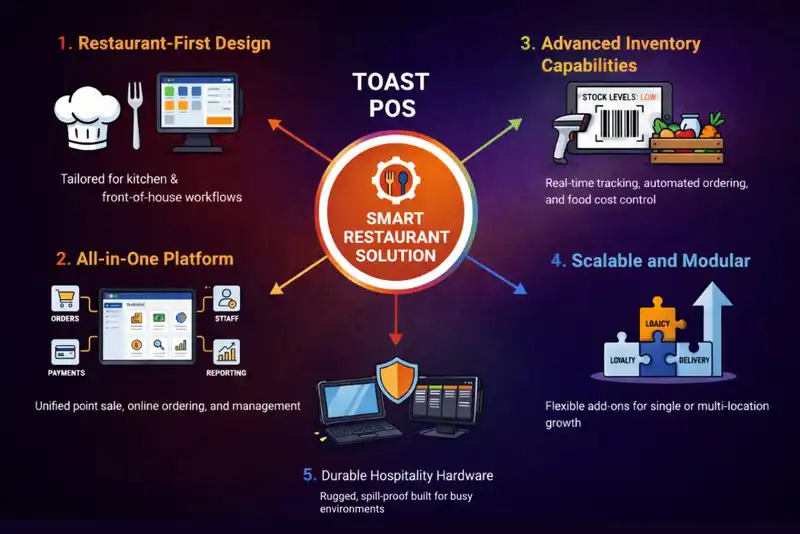
Restaurant-First Design -
Toast is purpose-built for food service, so features like ordering, table management, kitchen workflows, modifiers, and so forth are easy to use as part of the daily operations.
All-in-One Platform -
Toast provides everything that a restaurant could need through a unified platform, meaning POS, payments, order handling, inventory, staffing tools, and more exist within one integrated system, reducing reliance on multiple vendor solutions.
Advanced Inventory Capabilities -
With the availability of features like ingredient tracking, low-stock notifications, and automated ordering, Toast has advanced Inventory Management capabilities. This provides operators with control over their food costs and allows them to reduce waste.
Scalable and Modular -
Restaurants can start with just a few tools in the system and grow as they identify other needs (i.e., reservation systems, loyalty programs, and advanced analytics).
Durable Hospitality Hardware -
All of Toast's hardware was created specifically to withstand the fast-paced, busy environment of restaurants. As an Android-based solution, it is operationally reliable during peak hours.
Cons of Toast POS
- Higher Overall Cost - While entry options exist, Toast can become expensive as additional modules, hardware, and services are added, which may strain smaller budgets.
- Contract Requirements - Long-term contracts reduce flexibility for businesses that prefer month-to-month arrangements or want the option to switch systems easily.
- Limited Hardware Flexibility - Toast does not support iOS devices and encourages the use of its proprietary hardware, limiting the reuse of existing equipment.
- Learning Curve for New Users - The depth of features means setup and backend navigation can take time, especially for smaller teams without prior POS experience.
Toast Summary
Toast POS is a powerful, restaurant-focused platform best suited for growing cafes and restaurants that need more than basic order and payment processing. Its biggest strengths lie in its all-in-one ecosystem, strong inventory controls, and ability to scale alongside the business. However, higher costs, contract commitments, and hardware restrictions make it less ideal for very small or simple operations. For restaurants planning long-term growth and operational sophistication, Toast offers a comprehensive solution that can support expansion without constant system changes.
4. Lightspeed Restaurant
Suitable for inventory-heavy US restaurants.
Lightspeed is a cloud-based POS platform designed for restaurants that operate with complexity and scale in mind. It is particularly suited for businesses that manage large or stock-heavy menus, work with multiple suppliers, or run more than one location. Rather than focusing only on speed at checkout, Lightspeed emphasizes visibility, control, and data-backed decision-making across the entire operation.
With built-in support for restaurants, retail, and e-commerce, Lightspeed works well for brands that want to centralize their operations while keeping room for future expansion.
Pros of Lightspeed POS
Powerful Inventory and Vendor Management -
Lightspeed allows restaurants to manage inventory at a granular level, including item variations and supplier-level purchasing. Further, the ability to create purchase orders across multiple vendors helps streamline procurement and stock planning.
Strong Analytics and Reporting -
The system provides clear insights into sales trends, menu performance, and staff efficiency. These reports help operators control costs, reduce waste, and adjust strategies based on real data.
Multi-Location Support -
For restaurants with more than one outlet, Lightspeed maintains location-specific inventory records, making it easier to manage stock and performance across sites.
Omnichannel Capabilities -
Lightspeed supports online sales and e-commerce alongside dine-in operations, enabling restaurants to unlock additional revenue streams beyond the physical location.
24/7 Customer Support -
Round-the-clock support ensures help is available whenever issues arise, which is especially important for high-volume or late-hour operations.
Cons of Lightspeed POS
- Higher Entry Pricing - With plans starting around $99 per month, Lightspeed may not be the most budget-friendly option for small or newly opened restaurants.
- More Complex Setup - Due to its depth and customization options, initial setup and onboarding can take longer without proper guidance.
- May Be Excessive for Simple Operations - Restaurants with limited menus or basic inventory needs may not fully benefit from Lightspeed's advanced features.
Lightspeed Summary
Lightspeed POS is a strong fit for restaurants that require detailed inventory control, advanced analytics, and multi-location management. Its ability to handle complex menus, multiple vendors, and omnichannel sales makes it ideal for established or growth-focused businesses. For operators who prioritize data, structure, and long-term scalability, Lightspeed offers a robust and flexible POS solution. However, the higher cost and more involved setup mean it is less suitable for small, low-complexity restaurants.
5. SpotOn
Suitable for staff management and scheduling.
SpotOn is a modern platform designed for restaurants to operate efficiently while taking care of their customers' needs. It is the combination of POS systems, marketing, reporting, and guest engagement tools that creates an easy-to-use and effective way to run a restaurant with less reliance on multiple vendors. Nowadays, it is gaining traction among restaurateurs who value simplicity, transparency, and built-in tools that help drive repeat business without relying heavily on third-party software.
The platform is especially for the restaurants who are looking for a contemporary solution that supports both operational efficiency and customer experience.
Pros of SpotOn POS
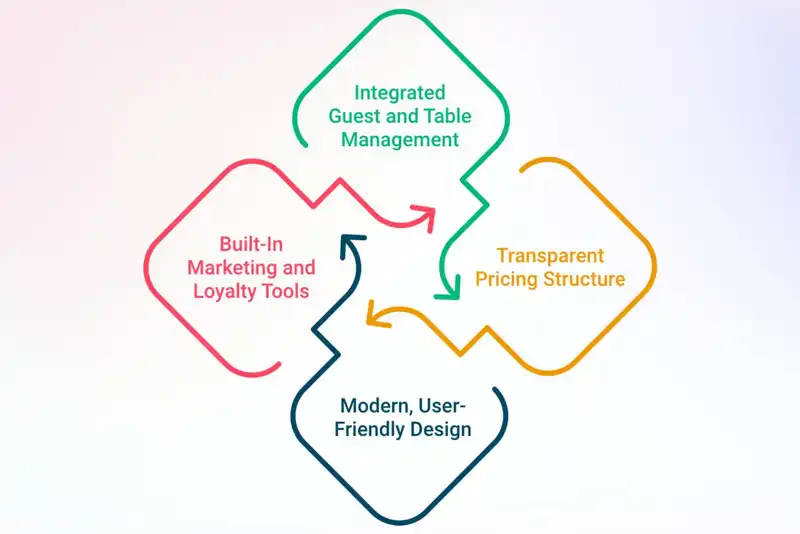
Integrated Guest and Table Management -
SpotOn includes tools for table layout creation, QR code ordering, bill splitting, and tip management, helping restaurants improve dining flow and reduce friction during service.
Built-In Marketing and Loyalty Tools -
With its built-in tools, restaurants can create personalized offers, promotions, and loyalty campaigns directly within the system, making it easier to engage customers and encourage repeat visits.
Transparent Pricing Structure -
Clear and upfront pricing makes it easier for operators to understand costs and plan budgets without unexpected fees.
Modern, User-Friendly Design -
The platform's sleek interface supports daily operations while appealing to teams looking for a more contemporary POS experience.
Cons of SpotOn POS
- Learning Curve for First-Time Users - New users may need time to get comfortable with the system's features, especially when using marketing and reporting tools together.
- Inconsistent Support Response Times - While support is available, the timeline for response can vary depending on the issue complexity and the time of request.
- Not Always Ideal for Very Small Businesses - Micro-restaurants or extremely simple operations may find some features unnecessary for their scale.
SpotOn Summary
SpotOn POS is a strong choice for restaurants seeking a modern, integrated platform that blends operations, payments, and marketing into one solution. Its strengths lie in guest-facing features, built-in promotions, and flexible pricing without long-term contracts. While staff may take some time to get familiar with it and it may not be the best fit for very small outlets, SpotOn delivers solid value for growing restaurants that want a contemporary POS system focused on both efficiency and customer engagement.
6. TouchBistro
Suitable for iPad-based restaurants.
TouchBistro is a restaurant-specific POS built for dine-in and service-led outlets that value speed, simplicity, and reliability on the floor. Designed around an iPad-based setup, it mirrors real restaurant workflows instead of adapting retail logic, making it intuitive for servers, bartenders, and managers. TouchBistro is especially popular with independent bars, cafes, and small to mid-sized restaurants that want technology to support service, not slow it down.
Pros of TouchBistro POS
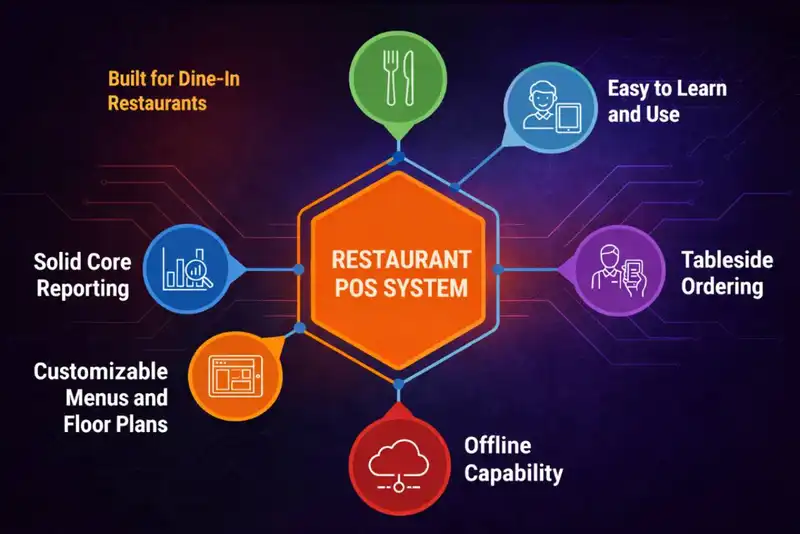
Built for Dine-In Restaurants -
TouchBistro excels in table service with features like table layouts, seat-level ordering, coursing, and check splitting that feel natural during live service.
Easy to Learn and Use -
The iPad interface is clean and familiar, allowing staff to get comfortable quickly with minimal training and fewer order errors.
Tableside Ordering -
Servers can take orders directly at the table, improving accuracy, reducing delays, and creating a smoother guest experience.
Offline Capability -
The system runs locally on iPads with cloud backup, allowing restaurants to keep taking orders even if the internet goes down.
Customizable Menus and Floor Plans -
Menus, modifiers, images, pricing, and layouts can be tailored to match the restaurant's service style and changing needs.
Solid Core Reporting -
TouchBistro provides practical sales and staff insights that support everyday operational decisions without overwhelming users.
Cons of TouchBistro POS
- Inventory Management Is Limited - Inventory tracking is more theoretical than granular, which may not meet the needs of inventory-heavy or cost-sensitive operations.
- Add-Ons Increase Total Cost - Features like online ordering, loyalty, and marketing are add-ons that can raise monthly expenses over time.
- iOS-Only Hardware - TouchBistro works exclusively on Apple devices, limiting flexibility for restaurants that prefer Android or mixed hardware setups.
- Support Can Be Inconsistent - While support is available, response times and resolution quality may vary depending on the issue.
TouchBistro Summary
TouchBistro POS is a strong fit for independent bars, cafes, bakeries, and small to mid-sized dine-in restaurants that want an intuitive, restaurant-first POS system. Its biggest strengths lie in ease of use, tableside ordering, and reliable front-of-house performance, especially in environments where service flow matters most. While it may not offer advanced analytics or deep inventory controls, TouchBistro delivers dependable, hospitality-focused functionality for restaurants that prioritize smooth service and simplicity over complexity.
7. GoTab
Suitable for restaurants prioritizing mobile-first and contactless ordering.
Designed to reduce friction at every stage of the dining experience, GoTab enables faster ordering, flexible payments, and real-time visibility across the floor. Unlike traditional POS systems, it runs on any web-enabled device, allowing restaurants to use existing hardware and adapt quickly as service models evolve.
GoTab is especially well-suited for high-volume, fast-moving venues that want to improve speed, reduce labor pressure, and give guests more control over how they order and pay.
Pros of GoTab POS
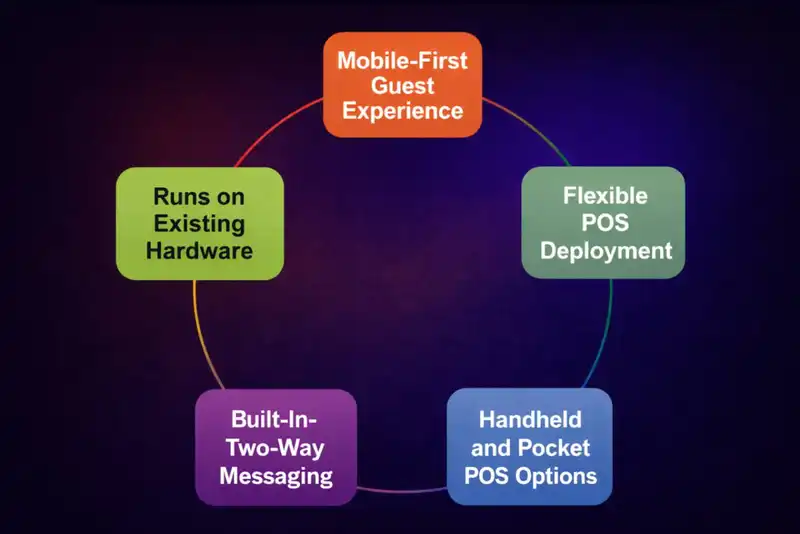
Mobile-First Guest Experience -
GoTab allows guests to view menus, place orders, make payments, split checks, and so on directly from their phones, reducing wait times and improving convenience without app downloads.
Runs on Existing Hardware -
The platform works on any web-enabled device, including iOS, Android, and Windows, helping restaurants avoid costly hardware upgrades or vendor lock-ins.
Flexible POS Deployment -
GoTab can function as a full POS system or operate alongside an existing POS, making it ideal for businesses locked into contracts or testing a hybrid service model.
Built-In Two-Way Messaging -
Real-time messaging between guests, staff, and the kitchen improves communication, speeds up service, and reduces interruptions during peak hours.
Handheld and Pocket POS Options -
Staff can take orders and accept payments anywhere on the floor using GoTab's handheld tools, increasing table turnover and improving service efficiency.
Cons of GoTab POS
- Not Ideal for Traditional Fine Dining - Concepts that rely heavily on classic, server-led service may find the guest-driven model less suitable.
- Requires Guest Adoption - Some guests may need brief guidance when using QR ordering or mobile payment for the first time.
- POS Depth is Moderate - While strong for speed and flexibility, GoTab may not match the depth of enterprise POS systems for highly complex operations.
GoTab Summary
GoTab POS is a modern, flexible solution designed for restaurants, bars, breweries, and high-traffic venues that want to move faster and operate more efficiently. Its strengths lie in mobile ordering, contactless payments, real-time communication, and hardware flexibility. While it may not fit every traditional dining concept, GoTab excels in environments where speed, convenience, and guest control are essential. For operators looking to modernize service without heavy hardware or long-term commitments, GoTab offers a compelling and future-ready platform.
8. POSist
Suitable for multi-location restaurants needing centralized operations and advanced management.
POSist is a globally adopted, cloud-based restaurant management platform built for food businesses that operate at scale or manage complex workflows. Used across dozens of countries by thousands of restaurants, POSist is particularly well-suited for quick-service, fast-casual, and full-service restaurants with multiple outlets or high operational complexity.
Rather than focusing only on billing, POSist positions itself as a full restaurant operating system. It brings front-of-house, back-of-house, and online operations together under one platform, helping restaurant owners centralize data, standardize processes, and maintain control as their business grows.
Pros of POSist POS
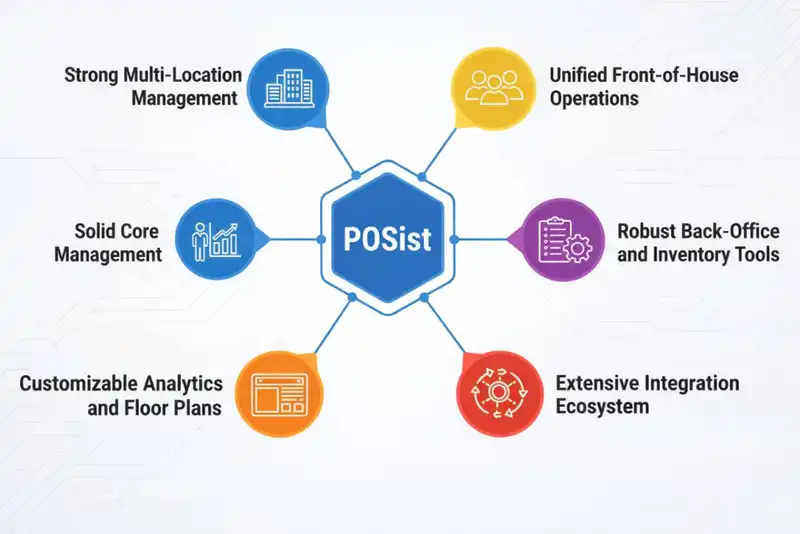
Strong Multi-Location Management -
POSist is designed for restaurant chains and growing brands, making it easy to manage menus, pricing, inventory, and reporting across multiple outlets from a centralized dashboard.
Unified Front-of-House Operations -
The system supports dine-in, takeaway, delivery, and contactless dining in one flow, with tools like QR-based digital menus and streamlined order routing.
Robust Back-Office and Inventory Tools -
Real-time inventory tracking, recipe-level controls, kitchen display systems, and anti-theft features help operators control costs and reduce operational leakage.
Extensive Integration Ecosystem -
POSist integrates with hundreds of third-party platforms, including accounting software, ERPs, payment gateways, loyalty tools, and major food delivery aggregators.
Advanced Analytics and Reporting -
The platform offers detailed insights into sales trends, outlet performance, staff productivity, and supply chain data, supporting data-driven decision-making.
Cons of POSist POS
- Pricing Can Increase with Add-Ons - While flexible, costs may rise as additional modules and integrations are added, which can be a consideration for smaller operators.
- Feature Depth May Feel Heavy for Small Restaurants - Restaurants with simple menus or low operational complexity may not need the full breadth of tools POSist offers.
- Initial Setup Requires Planning - Due to its wide feature set, proper configuration and onboarding are important to fully benefit from the platform.
POSist Summary
POSist is a powerful and highly flexible restaurant POS platform built to simplify complex operations through centralization and data visibility. Its strengths lie in multi-location management, deep back-office controls, extensive integrations, and advanced analytics, making it an excellent choice for growing restaurant brands and enterprise-level operations. While pricing and setup complexity may be considerations, POSist stands out as a scalable, future-ready solution for restaurants looking to standardize operations and unlock data-driven growth.
9. Clover POS
Suitable for small and medium-sized restaurants seeking a flexible and scalable POS system.
Clover POS is a cloud-based POS known for its intuitive design, customization flexibility, and wide range of hardware options. It's built to support growing restaurants that want a system they can tailor to their workflow without adding operational complexity.
Clover offers multiple hardware configurations, including countertop terminals, mobile POS stations, and handheld devices, making it easy for restaurants to design a setup that fits their service style. Its app-based ecosystem allows businesses to expand functionality as needs evolve.
Pros of Clover POS
Top-Tier Hardware Options -
Clover offers some of the best POS hardware available, including all-in-one countertop stations, customer-facing displays, and handheld devices for tableside payments and line busting.
Scalable Setup for Growing Businesses -
Restaurants can start with basic hardware like a mobile card reader and scale up to a full POS station as operations expand.
Real-Time Sales and Performance Insights -
The system provides live data on sales trends, item performance, and peak hours, supporting data-driven decisions.
Supports Multiple Payment Methods -
Credit cards, debit cards, contactless payments, and mobile wallets are all supported, ensuring fast and flexible checkout.
Extensive App Marketplace -
Clover can be customized with third-party apps for inventory, loyalty, marketing, reporting, and integrations with external tools.
Cons of Clover POS
- Pricing Can Be Opaque - Costs often vary by reseller, and pricing details may not be fully transparent online.
- Higher Upfront Investment - Hardware bundles and monthly software fees can be expensive, making Clover less ideal for small or low-budget restaurants.
- Reliance on Add-On Apps - Some advanced restaurant features require paid third-party apps, increasing long-term costs.
- Backend Learning Curve - While front-end use is intuitive, the web dashboard can feel dense for first-time POS users.
Clover Summary
Clover POS is a strong choice for medium to large scale restaurants that value premium hardware, flexibility, and real-time analytics. Its biggest advantages are its modern terminals, scalable setup, and customizable app ecosystem. However, higher costs and reseller-based pricing mean restaurants should carefully evaluate total ownership expenses before committing. For operators willing to invest in top-quality hardware and a flexible POS platform, Clover delivers a powerful and reliable solution.
10. EPOS Now
Best for restaurants looking for an affordable, all-in-one POS system with cloud-based flexibility.
EPOS Now is a scalable, cloud-based POS designed to support a wide range of restaurant types. It combines essential POS functionality with customizable software, making it a practical choice for businesses that want a cost-effective system without sacrificing operational control.
With cloud access, EPOS Now allows restaurant owners to manage sales, staff, and inventory in real time, whether they're on-site or off-site. Its modular design makes it easy to adapt the platform as business needs grow.
Pros of Epos Now POS
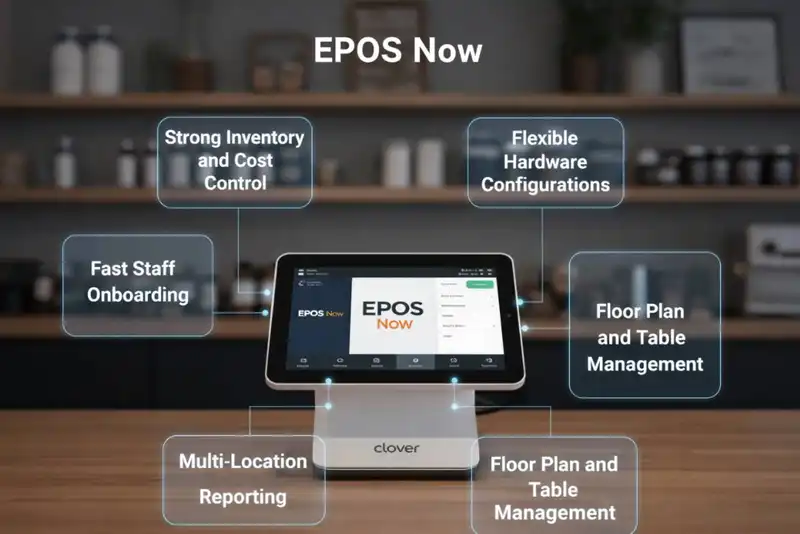
Strong Inventory and Cost Control -
Epos Now provides tools such as low-stock alerts, purchase ordering, and food cost versus profit analysis, helping restaurants manage margins and reduce waste.
Flexible Hardware Configurations -
The platform supports touchscreen terminals, tablets, handhelds, receipt printers, cash drawers, and customer displays, allowing businesses to build a setup that fits their layout.
Fast Staff Onboarding -
Despite its depth, Epos Now is relatively easy for staff to learn, making it suitable for restaurants with high employee turnover.
Floor Plan and Table Management -
A drag-and-drop floor plan builder supports different table shapes and layouts, which works well for large dining rooms, pubs, and function spaces.
Multi-Location Reporting -
Centralized dashboards allow restaurant groups to monitor performance across multiple outlets from one place.
Cons of Epos Now POS
- Learning Curve for Advanced Features - While basic use is straightforward, fully utilizing inventory, reporting, and integrations requires proper setup and training.
- Pricing Scales with Users and Add-Ons - Monthly costs increase with additional user accounts and advanced modules, which can add up for larger teams.
- Limited Community Support Resources - There is no public user forum, which may be a drawback for operators who prefer self-help resources.
- May Be Overkill for Small Venues - Single-location cafes or food trucks with simple needs may not require the system's full feature set.
Epos Now Summary
Epos Now POS is a solid choice for restaurants, pubs, and hospitality businesses that need strong inventory control, flexible hardware options, and centralized reporting. Its balance of operational depth and usability makes it particularly useful for larger venues or multi-location operations. While setup and pricing require careful consideration, Epos Now delivers meaningful value for businesses that prioritize control, structure, and scalability over plug-and-play simplicity.
Final Thoughts
Choosing from the top restaurant POS systems in 2026 is not about finding the most popular brand. It is about finding the system that fits how your restaurant runs.
Ask yourself a few honest questions.
- Do you need advanced features, or do you need speed and reliability?
- Is your staff comfortable using the system during rush hours?
- Does your POS help you see what is happening today, not just last week?
For many US restaurants, simpler systems are winning. Platforms like Plum POS are gaining attention because they focus on smooth payments, stable performance, and easy staff onboarding, without overwhelming operators with complexity they may never use.
A restaurant POS system should support your team, not distract them. It should help you serve customers faster, reduce mistakes, and understand your business without digging through confusing reports.
Take demos seriously. Test during real service hours if possible. Compare pricing clearly. And remember, the best restaurant POS software is the one that works quietly in the background while you focus on food, service, and growth.

Online Orders Made Easy
Plum POS Ensures Seamless Processing














-Benefits-&-POS-Guide-150-90faf61de.webp)