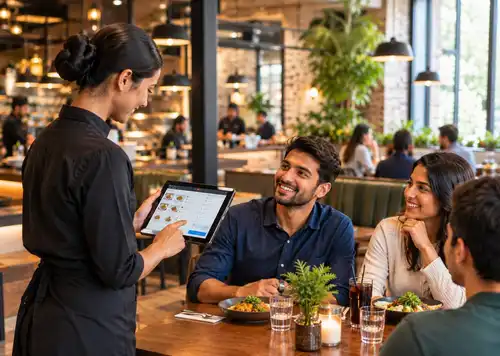
Is cloud POS worth trying for a growing restaurant?
For most restaurants, yes. This totally depends on the type of restaurant. You can check sales from anywhere, get automatic updates, and add locations easily. You must have a reliable internet.
POS systems
Updated On: October 12, 2026 | Published On: October 12, 2026 |

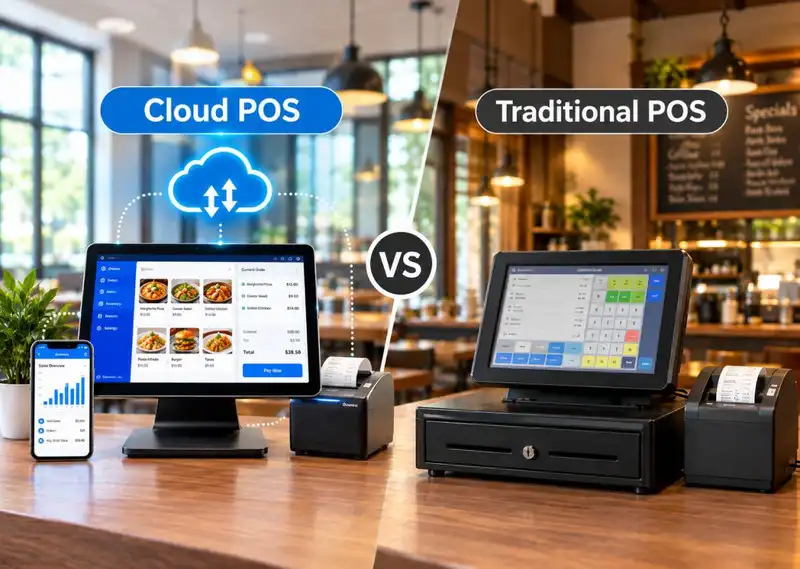
For most restaurants, yes. This totally depends on the type of restaurant. You can check sales from anywhere, get automatic updates, and add locations easily. You must have a reliable internet.
Choosing the wrong POS system can lock your business into higher costs, limited flexibility, and painful upgrades down the road. Understanding the real differences between cloud and traditional POS systems can help you make a smarter, longer-term investment.
If you're still running your restaurant, shop, or salon on an old-school register, you've probably felt the friction already slow updates, no way to check sales once you've left the building, and hardware that costs a small fortune to fix. This guide breaks down cloud POS vs traditional POS in plain terms, so you can figure out which setup actually fits how you run your business today.
Cloud-based systems have become the norm across hospitality, and it's not hard to see why. They cut down on manual busywork, keep your data synced across every device, and let you run things from more than just the spot behind the counter. That shift is exactly why so many owners are now weighing modern POS software against the systems they grew up using.
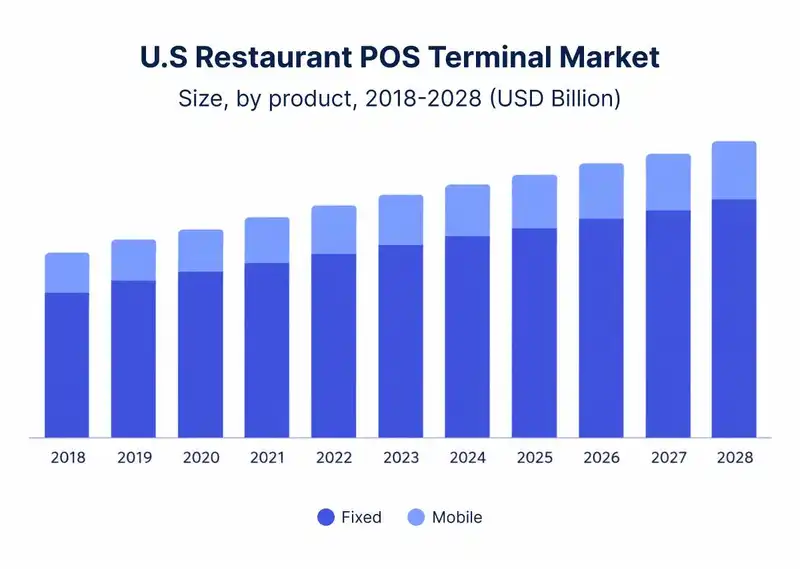

Running a small business already takes up enough of your time. The last thing you need is a checkout system that turns simple tasks into a hassle. Yet plenty of restaurants, cafes, salons, barbershops, and service businesses across the US are still trying to grow using tools built for a completely different era heavy tills, local servers, and software that only works on the one machine sitting on the counter.
Cloud-based POS systems have become the go-to option for modern small businesses because they cut out a lot of that friction. There's no complicated installation, no waiting around for a technician, and no outdated software quietly holding you back. Everything updates automatically, your data syncs across devices, and you can check on sales whether you're standing behind the register or halfway across town.
For a lot of owners, the question comes down to this- which setup actually works for me? Maybe you've got a classic POS system that still "works" but feels a little slower every month. Or maybe you're starting a new business and want to set things up right from day one. It's not always an easy call, especially when every vendor insists their system is the best one out there.
It's easier to compare modern and legacy POS systems once you see how the technology got here in the first place. POS tools started out doing one simple job recording transactions, but today's systems play a much bigger role in day-to-day operations.
Electronic POS systems came next. These connected computers to barcode scanners and receipt printers, which meant transactions were logged digitally for the first time. That was a real efficiency gain, but the data still lived on a single computer or in-store server.
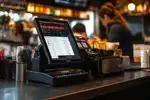
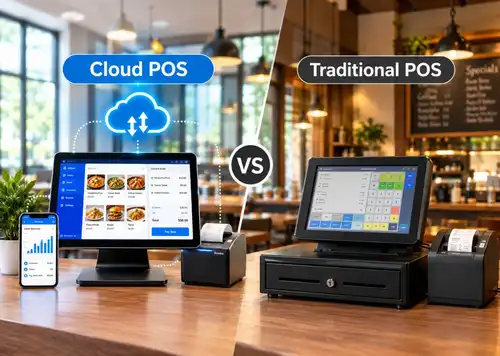
Cloud POS is the next step in that story. Instead of keeping everything on one device, cloud systems store data online, so owners can check sales, inventory, and reports from wherever they happen to be.
That shift is a big reason cloud POS keeps coming up whenever people talk about where checkout technology is headed. Businesses no longer treat a POS as just a way to ring up sales; it's become an operational hub that supports decisions, customer relationships, and growth.
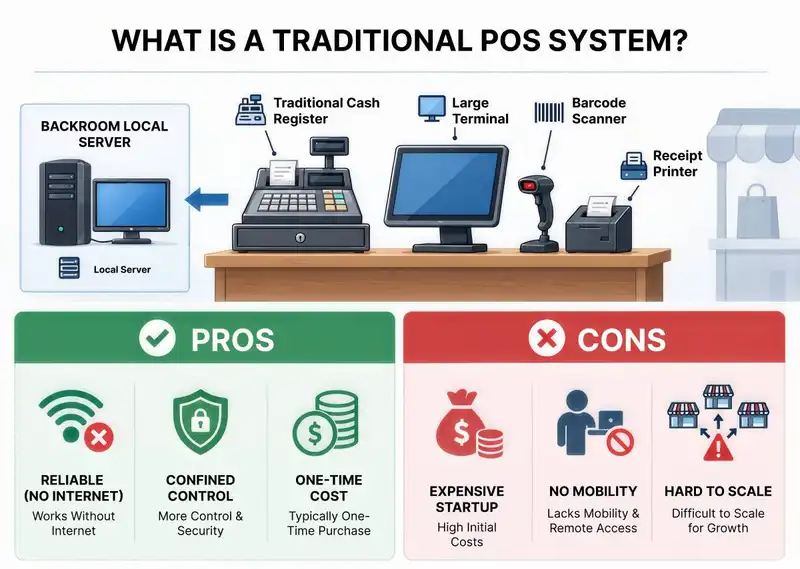
Plenty of US shops still rely on traditional POS systems older, well-established setups built around a physical cash register on the counter, usually paired with a large terminal, a barcode scanner, a receipt printer, and sometimes a local server tucked away in a back room.
These systems were built for a time when everything happened in-store- no online orders, no real-time syncing, and no checking in remotely. They still handle the basics just fine, but they weren't designed with how most businesses operate today in mind.
Pros-

A cloud-based POS system takes a different approach. Instead of relying on a single computer or closed network the way legacy systems do, all of your sales data is stored securely online.
That gives both staff and management a lot more visibility into how the business is actually running. One of the biggest perks is that backups and software updates happen automatically in the background no downtime, no manual work, and a much lower chance of losing important data.
Plum POS, for example, gives owners a live view of sales and inventory the moment a transaction happens, without anyone needing to be on-site to check it. That's a big part of why so many small businesses in the US restaurant have moved to a hosted POS it lets them manage sales, inventory, and customers more efficiently without hiring extra help just to keep the system running.
Pros-
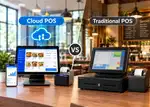
This table offers a practical comparison of Cloud POS vs. Traditional POS for small businesses in the USA, covering cost, flexibility, scalability, security, and daily operations to help owners make informed decisions.
| Aspect | Cloud POS | Traditional POS |
| Cost | Lower upfront cost with a monthly subscription. Uses existing devices like tablets, keeping cash free for the business. | Higher upfront investment for hardware, installation, and servers. Repairs and technician visits add extra costs. |
| Flexibility | When you take orders and payments anywhere, on the shop floor, tables, or at pop-up events. Reduces queues and improves service. | Fixed behind the counter. Reliable, but limits mobility and slows service during busy hours. |
| Scalability | Easy to grow. Add devices, locations, or products instantly with automatic syncing across all outlets. | Expansion often means buying new licences, hardware, or setting up separate systems from scratch. |
| Security | Security updates, encryption, and compliance are handled automatically in the background. | Requires manual updates, server maintenance, and hands-on security management. |
| Day-to-day workload | Simple to manage, fewer technical tasks, more focus on running the business. | More time spent on maintenance, troubleshooting, and system upkeep. |
It's one thing to understand cloud and traditional POS in theory; it's another to see how the difference actually plays out day to day. Here's what that looks like in practice.
Take a restaurant owner running three locations-
Instead of driving between locations or waiting until closing to see how the day went, she checks her phone during the lunch rush and notices one location is falling behind- tickets are backing up, and orders are taking too long.
She calls in an extra server for the dinner shift before things get worse, all without leaving the counter at her main location. That's the kind of on-the-fly call a cloud-based POS makes possible, and it's a big part of what remote reporting is actually good for.
As businesses weigh cloud POS against traditional setups, a few clear trends keep coming up, and they all point in roughly the same direction. Here's what's actually shaping the checkout experience right now.
Self-service kiosks are steadily replacing traditional checkout counters. A growing share of restaurant operators say self-ordering is now a priority, and it's easy to see why customers increasingly want speed and control over their own orders.
This trend plays right into what cloud systems do well. They integrate with kiosks and mobile ordering with minimal setup and sync orders instantly, while legacy systems often need costly upgrades just to keep up.
Modern POS systems now track purchase history, preferences, and visit frequency to power loyalty rewards, personalized offers, and smarter upsells.
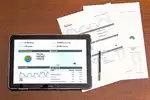
This is one area where cloud-based systems clearly have the edge they run on real-time analytics and centralized data, while traditional setups tend to rely on limited, often manual reporting.
Businesses that connect online ordering, in-store purchases, click-and-collect, and returns into one system tend to see stronger repeat business. Today's checkout software is expected to tie all of that together.
Cloud platforms sync data across every channel almost instantly, while traditional systems tend to operate in silos, which makes expanding into new sales channels slower and more expensive than it needs to be.
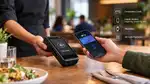
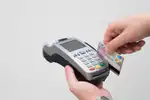
Digital wallets, QR codes, and contactless payments are steadily replacing cash at the register. Industry surveys have pointed to a sharp, ongoing rise in cashless transactions across the US, and that trend shows no signs of slowing down.
Cloud systems are generally built to keep pace with payment innovation, while traditional POS setups often need hardware changes and manual updates just to accept newer payment types.
Mobile POS lets staff take payments anywhere in the store, cutting down on lines and improving the overall customer experience. That kind of flexibility is reshaping hospitality.
This is one of the more decisive differences between the two- cloud POS systems, including Plum POS's mobile app, support handheld devices by design, while traditional systems stay tied to a fixed counter.
When comparing cloud and traditional POS, a lot of businesses focus only on the upfront price tag. But the ongoing costs of running each system can end up mattering just as much.
Now that we've covered both systems, here's a quick way to think about which one fits your business-
Choose Traditional POS if-
Before deciding between cloud and traditional POS, it's worth taking a step back and thinking through what your business actually needs.
Weigh cloud POS against a traditional setup, and the direction most growing businesses are heading becomes pretty clear. Plum POS was built around that shift, giving owners real-time visibility, day-to-day flexibility, and room to grow, without the overhead that comes with legacy systems.
If you're still deciding, the honest answer is that there's no universal "right" system only the one that fits how your business actually runs. But for most businesses planning to grow beyond a single counter, a hosted setup like Plum POS tends to make that growth a lot less painful.















-Benefits-&-POS-Guide-150-90faf61de.webp)























The majority of cloud POS systems need an internet connection for real-time data synchronization. Many contemporary cloud POS systems provide an offline feature that enables businesses to keep processing transactions during brief internet interruptions. As soon as the connection is reestablished, the system automatically synchronizes all saved data.
Cloud POS systems are especially beneficial for restaurants, cafes, salons, and multi-location businesses. These businesses often need real-time sales tracking, mobile checkout, and centralized reporting across different locations. The flexibility and scalability of cloud POS make it ideal for companies planning to grow or expand in the future.
The key distinction between cloud POS and traditional POS is in the method of data storage and access. A cloud POS saves business data online and permits remote access from various devices, whereas a traditional POS keeps data on a local computer or server at the store. This enhances cloud systems' adaptability for companies seeking real-time analytics and remote oversight.
Cloud POS systems incorporate robust security features like encryption, secure data backups, and automatic software updates. The majority of providers adhere to rigorous compliance guidelines to safeguard sensitive business and payment data. In numerous instances, cloud POS systems provide better security safeguards compared to traditional POS systems that depend on manual updates.
For numerous small enterprises, cloud POS tends to be a preferable option due to its reduced initial expenses, automatic updates, and simpler scalability. Business owners can retrieve sales reports, inventory, and customer information from any location, enabling them to oversee operations more effectively. Nonetheless, companies with restricted internet connectivity might still opt for conventional POS systems.
2026-10-12
Read More