You're familiar with the feeling. Orders are coming in via your online platform, but your crew is still manually entering them into the POS. The kitchen is receiving tickets late. Staff is juggling screens. Customers contact you to complain about delays or incorrect merchandise.
That is what occurs when your systems do not communicate with each other.
The true cost is squandered time, angry employees, and lost income. If you own a contemporary food business, such as a restaurant, grocery store, or cloud kitchen, this system is holding you back and preventing you from realizing the benefits of POS online ordering integration.
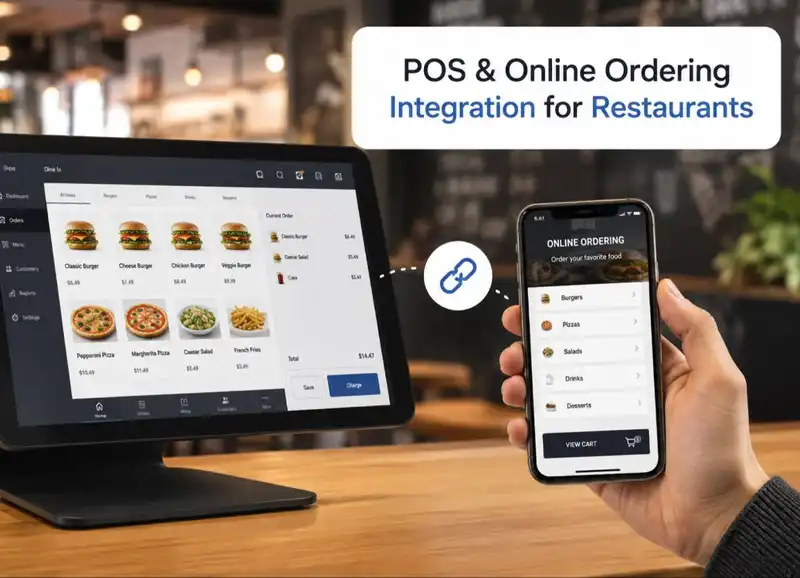
This blog will demonstrate how a POS connection to an ordering system can alleviate these issues. You'll discover what it is, how it works, and how to smartly deploy it using white-label POS software that's tailored to your business. You'll also see how businesses reduce errors with POS integration by eliminating manual processes.
Let us break it down.
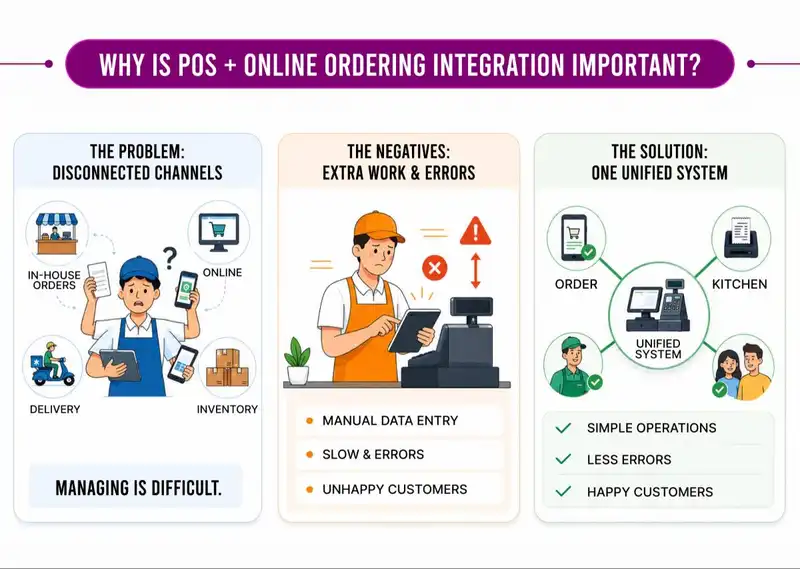
Why is POS + Online Ordering Integration Important?
Without the proper tools, restaurants might struggle to manage many sales channels. Restaurants must handle in-house orders, internet orders, delivery requests, and inventory management all at once using a Restaurant digital ordering system.
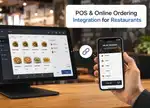
These systems operate independently; employees often must manually enter online orders into the POS system, resulting in delays, errors, and dissatisfied customers. This is where combining a POS system with online ordering is crucial to reduce errors with POS integration and unlock the Benefits of POS online ordering integration.

Accept, Process, and Profit with Ease!
Streamline Your Online Orders with Plum POS
Step 1- Centralized order management-
Integrates all online, mobile, and counter orders into a single system. This enables workers to-
- Monitor all orders from one system without manual checks.
- Orders go directly to the kitchen, reducing miscommunication.
- Kitchens prioritize orders easily, cutting customer wait times.
This is one of the most immediate benefits of POS online ordering integration.
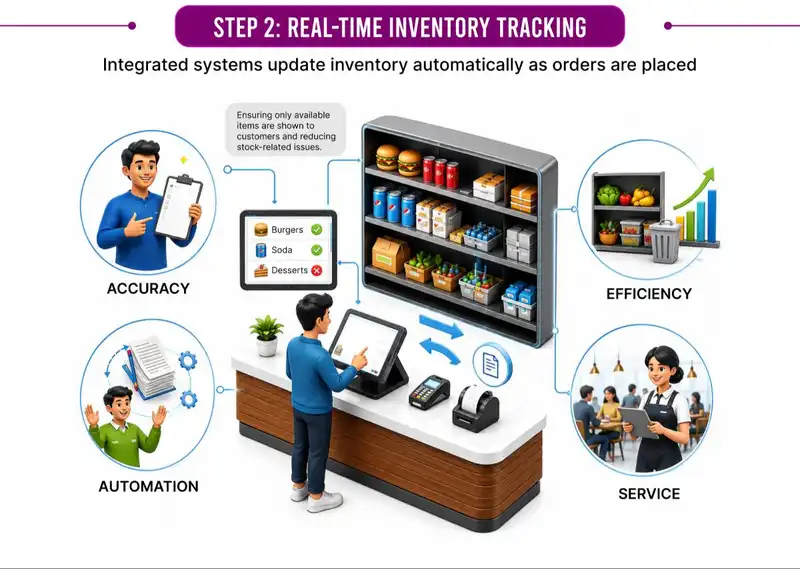
Step 2- Real-Time Inventory TrackingIntegrated systems update inventory automatically as orders are placed, ensuring only available items are shown to customers and reducing stock-related issues. Another way to reduce errors with
POS integration.- Prevents overselling and order cancellations
- Improves stock planning and reduces food waste
- Eliminates manual inventory updates
- Saves staff time and effort
Step 3- Enhanced Customer Experience
POS and online ordering integration creates a smooth, error-free ordering journey from checkout to kitchen across every restaurant's digital ordering system.
- Ensures accurate orders and custom requests
- Speeds up order processing
- Delivers consistent experience across channels
- Reduces delays and service errors
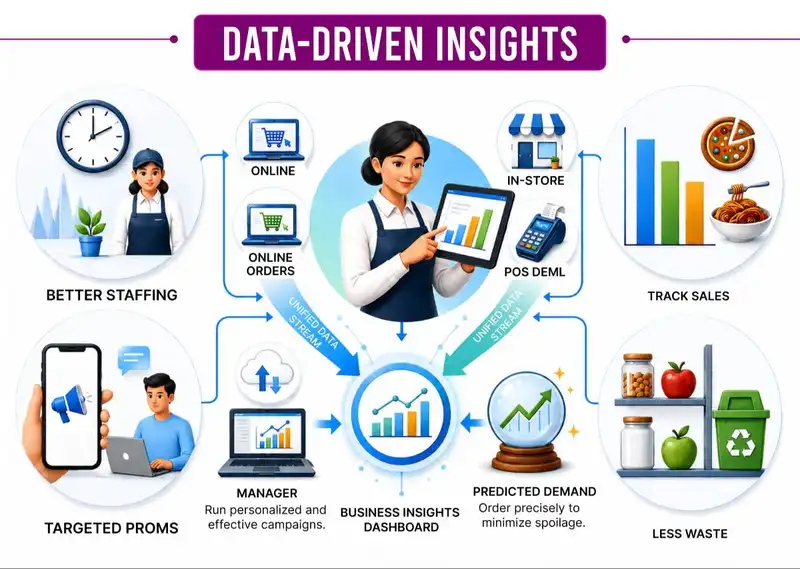
Step 4- Data-Driven InsightsUnified data from online and in-store orders gives restaurants clear, actionable business insights, one of the long-term Benefits of POS online ordering integration.
- Identifies peak hours for better staffing
- Tracks top-selling and low-performing items
- Improves targeted promotions and marketing
- Helps forecast demand and control waste
Step 5- Setting Up the POS System
Setting up a POS system requires careful planning to ensure it fits your restaurant's operations.
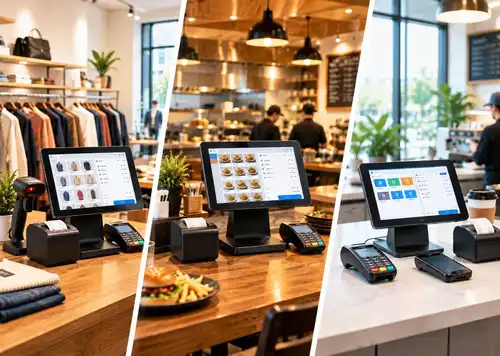
- Hardware setup- Install POS terminals, printers, tablets, and payment devices
- Software configuration- Set up menus, taxes, payments, and order flows
- Workflow alignment- Match the POS with kitchen and service processes
- Testing- Run trials to catch and fix issues before going live
From installing hardware to aligning kitchen workflows, each step helps create a smooth, error-free setup. Proper testing before launch ensures the system runs efficiently from day one and helps reduce errors with POS integration early on.

From Click to Kitchen
Handle All Your Online Orders with Plum POS
Top 5 Benefits of POS + Online Ordering Integration
Integrating your POS system with online ordering does more than just save time; it streamlines everyday operations, lowers mistakes, and enables businesses to develop more efficiently. Here are the five most important benefits, demonstrated with real-world instances.
1) Streamlined operations
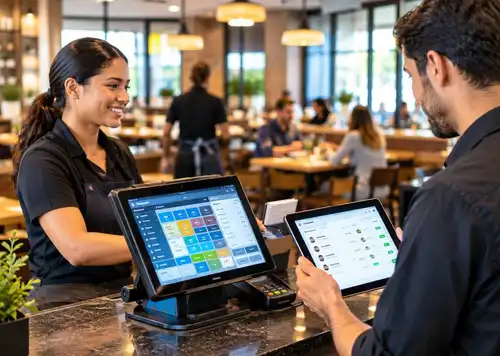
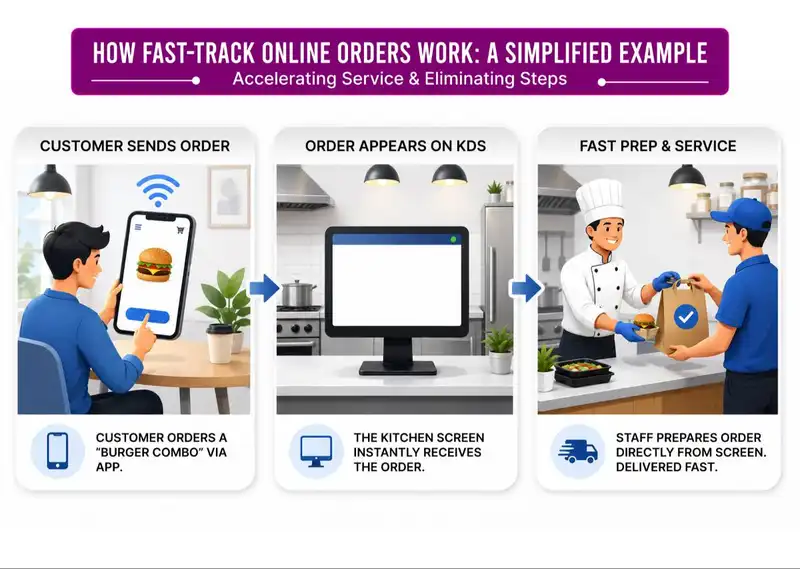
A unified system streamlines restaurant functions by consolidating all orders, dine-in, takeaway, delivery, and online orders into a single platform. Rather than managing individual systems for each ordering channel, the POS automatically sorts and sends each order to the appropriate station. This removes the requirement for employees to input orders again by hand, saving time and minimizing confusion during peak service times.
When all operations flow through a unified system, the kitchen, front-of-house team, and management stay in harmony. Orders arrive in the kitchen immediately, updates are shown in real time, and employees can concentrate more on assisting customers rather than handling paperwork or various devices.
For Example-
A lunch rush online order is sent straight to the kitchen display screen. The kitchen starts getting it ready right away without the staff having to re-enter the order manually. This accelerates service and avoids hold-ups during busy times.
2) Improved Order Accuracy
Automation greatly enhances order precision by eliminating the uncertainty commonly associated with handwritten tickets or spoken instructions. When customers submit orders via a POS system, their entries are logged precisely as they are entered and shown clearly to the kitchen team.
Specific instructions, dietary choices, and modifications are automatically integrated into the order, guaranteeing the kitchen prepares the meal precisely as specified. This lowers errors, decreases food waste from re-preparations, and ensures customer satisfaction is upheld.
For Example-
A customer requests a burger with "no onions and additional cheese." The commands show up straight on the kitchen display system precisely as typed, guaranteeing the kitchen makes the meal right on the first attempt.
3) Improved Customer Experience
A contemporary POS system enhances the customer experience by providing quicker service, precise orders, and improved communication. Because orders are handled immediately and accurately, customers get their meals more quickly and with fewer errors.
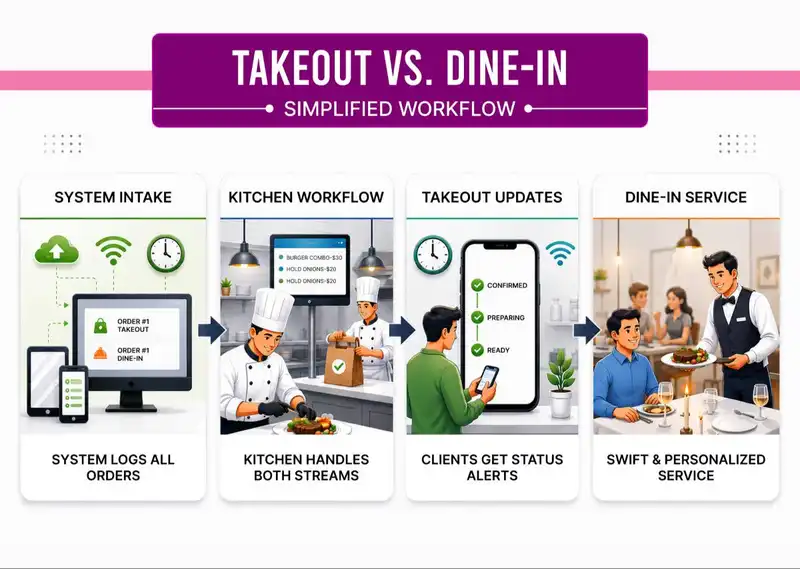
Moreover, integrated systems enable restaurants to offer customers real-time updates, including order confirmations, the status of preparation, and notifications for pickup. This degree of openness fosters trust and enables customers to feel more assured about their purchases.
For Example-
A takeout client gets automated updates regarding the order status, ranging from confirmation to preparation to readiness for pickup, while a dine-in patron enjoys careful table service backed by swift kitchen communication.
4) Improved Inventory Management
Managing inventory is significantly simpler when the POS system automatically monitors ingredient consumption and product sales. Each time an item is sold, the necessary ingredients are subtracted from the inventory by the system. This offers immediate insight into inventory quantities.
Restaurant managers can easily identify which items are depleting and restock supplies before shortages happen. The system can also stop customers from ordering nonexistent items by automatically taking them off digital menus.
For Example-
If burgers sell out, they are removed from internet menus immediately, eliminating the need for embarrassing cancellations later.
5) Actionable Insights for Growth
A POS system gathers important business information that assists restaurant owners in making better choices. Sales reports, customer patterns, and performance metrics enable managers to determine effective strategies and areas requiring enhancement.
Through the examination of these insights, restaurants can refine staffing rosters, modify menus according to popular items, and introduce focused promotions to boost income. Decisions based on data eliminate speculation and enable businesses to expand more effectively.
For Example-
Sales data indicate that weekend nights produce the most revenue. Drawing from this understanding, the restaurant assigns additional staff during these hours and implements special combo deals to promote repeat buying.
When Your Systems Don't Talk, Everything Slows Down
You already understand what POS integration means.
But let's pause for a moment and talk about what happens when your systems aren't connected.
Not in theory.
In real life.
A Typical Busy Afternoon
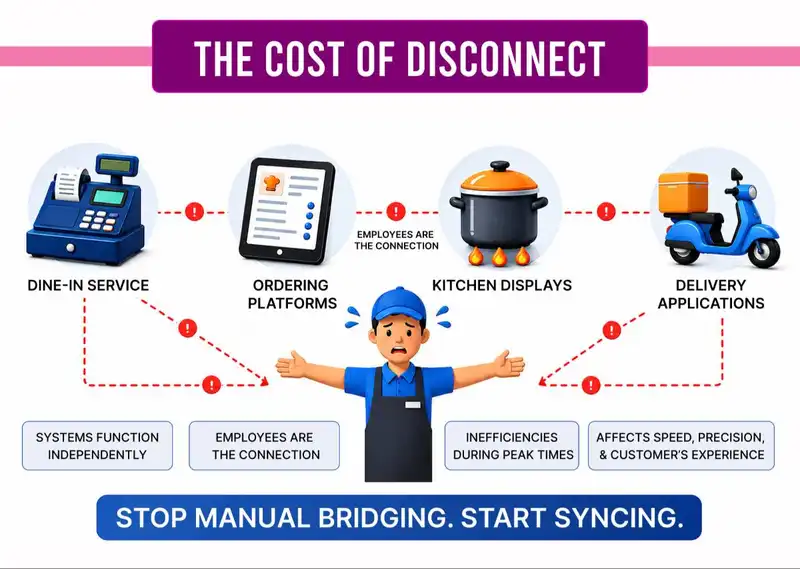
You already know what POS integration signifies- the capability for various restaurant systems to exchange information automatically. However, it is also crucial to comprehend the contrasting scenario- what occurs when your systems remain unconnected.
When ordering platforms, POS software, kitchen displays, and delivery applications function independently, employees must serve as the connection among them. Rather than having information transfer automatically, workers are required to manually shift orders between different systems.
At first glance, this might not appear to be a significant problem. Nevertheless, during peak service times, even minor inefficiencies can rapidly accumulate. Additional steps, redundant data input, and communication barriers start to impede the overall process.
What ought to be a seamless workflow turns into a succession of minor disruptions that impact service speed, order precision, and ultimately the customer experience. The issue is most apparent during busy hours.
The Cost You Don't See on the Screen
It's the peak of a hectic lunchtime rush. Customers are eating inside, calls are coming in, and online orders start to rise. A delivery platform brings in an order.
Rather than automatically showing up in your POS or kitchen display, a team member must manually read the order and input it into the system. During this process, fresh orders keep coming in. Employees begin to alternate between screens, applications, and devices.
- An employee views an order on a tablet.
- Another employee inputs the information into the POS.
- Another person attempts to verify the order while assisting customers at the register.
During this process, minor details can easily get overlooked.
- A modifier could be overlooked.
- A product could be input inaccurately.
- An order could be placed later than it is supposed to be.
At the same time, the kitchen is cooking meals according to the information they have received. If something was input inaccurately or after the deadline, the preparation might not align with what the customer genuinely requested.
Consequently-- The kitchen might prepare the incorrect dish.
- A delivery driver might get there prior to the order being prepared.
- The customer might get the incorrect order.
Shortly thereafter, the customer calls the restaurant inquiring about the delay or error. Employees need to pause their tasks to look into the problem.
At times, the sole remedy is to recreate the order or process a refund.
No One Committed a Major Error - The System Did
In numerous cases, no single employee truly committed a significant mistake. Your team is just attempting to oversee too many unconnected tools simultaneously.
When systems fail to communicate on their own, human involvement serves as the connection between them. This indicates that workers need to continually alternate between tasks, re-input data, and verify information.
Even well-trained teams can face challenges in this setting during busy times.
Minor inefficiencies, such as placing an order two times or reviewing several screens, might only require a few seconds each occurrence. However, when considering dozens or even hundreds of orders each day, those seconds accumulate.
The outcome is reduced efficiency, increased errors, and added pressure for both employees and clients. That's the appearance of operating unconnected tools during a typical day in a bustling restaurant.
One Place to Run Everything
A single dashboard can manage menus, orders, sales, and performance. Rather than toggling between various tools or looking through different systems for data, all information is consolidated in a single location.
Restaurant managers can access orders from every channel, observe sales trends, and assess performance in real time. This simplifies daily operations and allows managers to remain informed about ongoing activities without frequently checking in with employees.
A cohesive system provides you with transparent oversight and control over the enterprise. With all data consolidated, decisions can be reached more quickly and processes operate more efficiently. You aren't pursuing information on various platforms. You just access a single dashboard and instantly grasp the restaurant's performance.
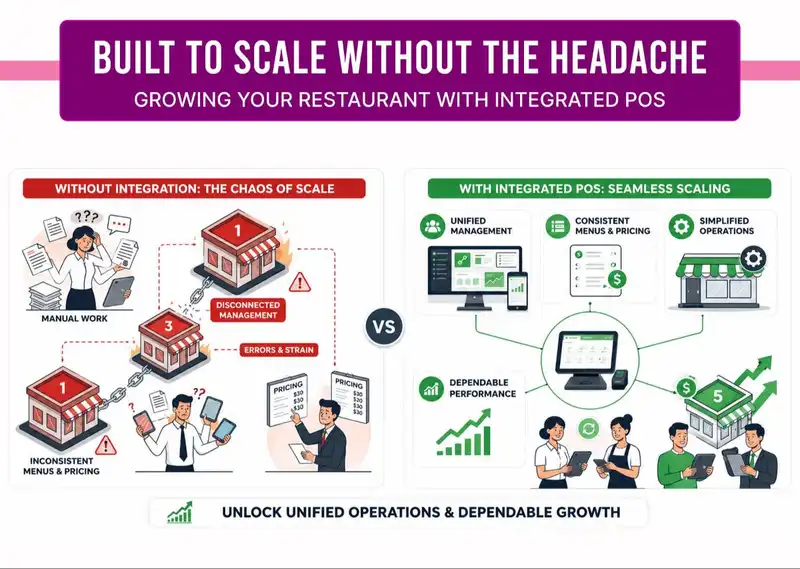
Built to Scale Without the Headache
As restaurants expand, overseeing several locations can rapidly become challenging if the systems lack consistency.
A properly integrated POS system maintains a consistent experience, whether you run a single outlet or multiple locations. Menus, pricing, and workflows stay consistent across locations, simplifying management of operations.
This uniformity guarantees that clients experience the same level of service each time they come. Although the company might develop behind the scenes, the operation stays seamless and dependable.
When systems lack connectivity, individuals must manually address the gaps, leading to potential errors. An effectively integrated POS system alleviates that strain and enables operations to function smoothly.
How to Choose the Right POS Integration System
With so many POS integration systems available, choosing the correct one for your restaurant is critical. Here are a few things to consider-
1. Compatibility
Make sure the POS connection software is compatible with your current POS system. This will ensure a seamless integration process and avoid any technological difficulties.
2. Easy to Use
Your employees should be able to utilize the program with minimal training. A simple interface will allow your staff to adjust quickly while maintaining high levels of efficiency.
3. Support and Maintenance
Look for a company that provides dependable customer service and frequent software upgrades. This guarantees that any issues are resolved quickly and that your system is always up to date with the most recent features.
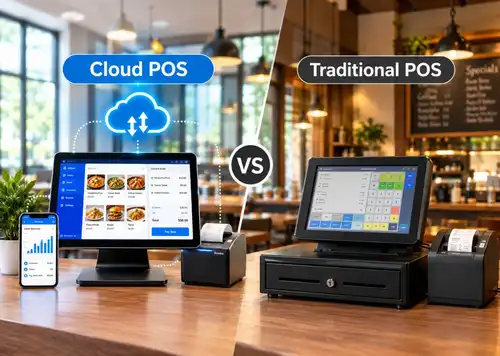
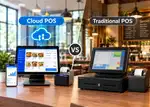
POS Services vs Traditional Payment Systems
Aspect
| Traditional Payment Systems
| Modern POS Services
|
Core Purpose
| Focused only on accepting payments and recording sales
| Combines payments with full business management
|
Sales & Data Insights
| Basic sales totals with limited reporting
| Real-time analytics on sales, customers, and inventory
|
Receipts
| Paper receipts that are easy to lose
| Digital receipts are sent via SMS or email for convenience
|
Customer Engagement
| No built-in customer tracking or rewards
| Supports loyalty programs and repeat customer offers
|
Payment Methods
| Cash and card payments only
| Accepts cards, mobile wallets, QR codes, and UPI
|
Business Flexibility
| Fixed terminals with limited mobility
| Works on tablets and mobiles, ideal for pop-ups and food trucks
|
Wrapping Up
POS and online ordering integration is no longer just a technical upgrade. It's a foundation for running a smoother, calmer, and more reliable food business. When orders flow automatically, inventory stays accurate, and teams stop compensating for system gaps, operations feel lighter and more controlled. The result isn't just faster service, but fewer errors, happier staff, and customers who trust your brand to get things right every time.
This is where a modern, scalable solution like Plum POS fits naturally into the picture. By bringing ordering, payments, inventory, and insights into one unified system, Plum POS helps businesses move past daily firefighting and focus on growth. When your systems finally talk to each other, everything else from service quality to decision-making starts falling into place.

Online Orders Made Easy
Plum POS Ensures Seamless Processing












-Benefits-&-POS-Guide-150-90faf61de.webp)