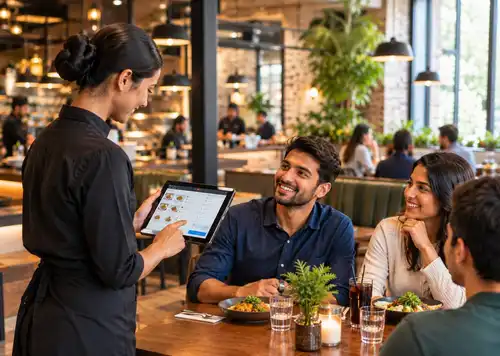
How does POS table management help my restaurant?
It shows live table status, manages waitlists, and uses guest data to arrange seating for guests faster. This helps cut wait times and raises table turnover without making the guests wait.
POS systems
Updated On: October 20, 2026 | Published On: October 08, 2026 |


It shows live table status, manages waitlists, and uses guest data to arrange seating for guests faster. This helps cut wait times and raises table turnover without making the guests wait.
On a busy Friday night, one empty table can cost hundreds of dollars in lost revenue. The challenge isn't just serving guests faster. It's seating the right guests at the right tables while maintaining an excellent dining experience.
This is where table management software comes in. By combining smart table tracking with guest data, restaurants can improve turnover rates while still delivering a great customer experience.
Understanding how a restaurant management system works helps you streamline seating and improve guest flow during busy service hours.
A modern restaurant POS helps operators track guest preferences, dining duration, and visit history in real time.
With the right tools, restaurants can optimize seating decisions, reduce wait times, and create smoother service cycles that directly impact revenue and loyalty.
Many restaurants rely on table tracking and smart floor management to keep seating operations efficient and guest flow smooth across the dining room.
Table turnover rate measures how often a table is reused during a specific time period. When paired with guest data tracking, this metric becomes far more useful. Instead of guessing why tables are delayed, restaurants can look at real guest behavior and service timelines.
A modern restaurant management system helps operators visualize seating arrangements and understand how table management works to boost turnover.

Your restaurant's profitability is closely tied to its table turnover rate. The more guests you can seat and serve in a given time frame, the more sales you can generate. A strong table management system will help you-
Modern restaurant POS systems are built to handle far more than orders and payments. A good table management system lets restaurants oversee the entire dining room in real time, helping hosts, servers, and managers coordinate seating and service. Pairing table data with guest history gives operators better insight into customer behavior, service timing, and table availability.
This kind of visibility cuts down on wasted table time, improves service efficiency, and helps make sure guests are seated and served promptly.
Here are the main ways table management improves turnover-
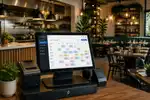
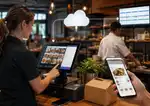
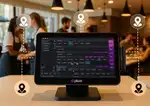
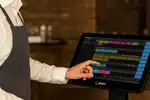
A POS dashboard lets hosts and managers see the status of every table at a glance- occupied, waiting on food, ready for the check, or being cleaned. Instead of relying on staff calling out updates across the room, the system shows changes in table status the moment they happen, so teams can seat new guests as soon as a table opens up.
For example, a host at a busy weekend brunch spot can glance at the dashboard, see that table 12 just moved to "check dropped," and start walking a waiting party over before the table is even wiped down.

Many restaurant POS systems include digital waitlist tools that estimate wait times based on current table occupancy and how long meals typically run. This lets hosts give guests accurate wait estimates and seat them faster once tables free up, which helps both turnover and guest satisfaction.
Think of a Friday night rush where the waitlist is 20 names deep. Instead of guessing, the host can tell each party a realistic wait time and text them the moment their table is ready, so fewer people wander off or get frustrated standing by the door.
By tracking guest visit history, restaurants can see how long different types of visits usually take. A couple celebrating an anniversary might linger over a full dinner, while a table of coworkers on a lunch break wants to get in and out quickly. This insight helps hosts seat guests at the right size table and avoid tying up a large table for a party that will be gone in twenty minutes.
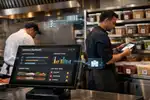
A connected POS keeps servers, kitchen staff, and managers on the same page about order timing and table status. When orders hit the kitchen the moment they're placed, there's less lag between ordering and food coming out, which keeps tables moving throughout the meal.
Picture a Saturday dinner rush where the kitchen sees new orders the instant a server taps them in, instead of waiting for a printed ticket to make its way back. That small time savings, multiplied across dozens of tables, adds up fast.
Reporting tools give managers a clear picture of average dining time, order prep time, and how long it takes guests to pay once they ask for the check. If one part of service keeps slowing things down, managers can adjust staffing, menu layout, or service steps to fix it.
For instance, if the data shows checks are sitting on tables for fifteen minutes before a guest pays, a restaurant might roll out tableside payment to close that gap.
By looking at group sizes and seating patterns over time, restaurants can assign tables more effectively. If the data shows most lunch guests come in pairs, a restaurant can shift its floor plan to seat more two-tops and cut down on empty seats at larger tables.
When all of this works together, table management gives restaurants a more organized, flexible dining room. Instead of reacting to problems after they happen, teams can plan ahead, adjust seating, and keep turnover steady without ever rushing a guest.
Table turnover at a restaurant comes down to five parts-
Step-by-step calculation
Calculating your restaurant's table turnover rate is simple, but the result tells you a lot about how your service is running. Here's how to do it-
While table turnover rate shows how efficiently you use your tables, seat turnover rate shows how well you're using your full seating capacity.
What is the seat turnover rate?
Seat turnover rate measures how often each seat in your restaurant is filled over a given time period. It gives you a clearer picture of how efficiently you're using your seating and where there might be room to improve.
Step-by-step calculation
Table turnover and seat turnover often tell different stories depending on your floor plan and typical group size. Looking at both together helps you understand whether tables are being used well or if there's a gap somewhere in how seating is managed.
Here are a few ways to boost table turnover without hurting the guest experience-
A simple, casual question like "What brings you in today?" helps servers get a feel for how long a table might take, whether it's a quick lunch or a birthday dinner that will run long. That kind of context helps staff plan ahead without ever making a guest feel rushed.
Some guests linger, and that's fine, but staff can gently keep things moving with respectful cues-
During busy hours, servers can steer undecided guests toward dishes that come out faster. If someone is choosing between a quick salad and a dish that takes twenty minutes to prepare, a gentle suggestion toward the faster option can help keep things moving without feeling pushy.
Keeping an eye on a few key numbers helps you see what's actually improving turnover-
Even well-run restaurants hit turnover challenges during peak hours. Spotting these problems early makes it easier to fix them.
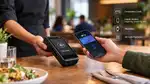
When guests wait too long to get or settle their check, tables sit occupied longer than they need to. Mobile payment and tableside payment tools built into your POS can cut this wait time significantly.
Restaurants with mostly large tables often struggle when small parties end up seated at them. Looking at past guest data helps managers adjust seating strategy to better match table sizes to typical party sizes.
Poor communication between hosts, servers, and kitchen staff slows everything down. A connected POS gives the whole team one shared view of the floor, so everyone stays coordinated.
Sudden rushes can overwhelm staff who aren't ready for them. Looking at past patterns in your POS reporting helps managers anticipate peak times and staff accordingly.
Tackling these challenges with good data and the right tools helps restaurants keep turnover steady without sacrificing service quality.
Improving table turnover isn't about rushing guests out the door. It's about balance. When you understand your seating patterns, dining times, and peak hours, you can make smarter decisions on the floor instead of just reacting to whatever happens next.
A good table management system gives you visibility into all of this- guest behavior, dining duration, and busy periods, so your team can seat guests faster, keep service moving, and still deliver a great dining experience.
If you're still tracking tables on paper or relying on staff shouting updates across the room, it might be time for an upgrade. Plum POS brings table status, guest history, and payment all into one system, so your team always knows which tables are ready, which are lingering, and where the next party should go. It's built to help restaurants like yours turn tables faster, cut down on wait times, and keep guests happy without feeling rushed.
If you want to see how it works for your restaurant, book a free demo of Plum POS today and find out how much smoother service can run.












-Benefits-&-POS-Guide-150-90faf61de.webp)



















The key is visibility into guest intent and visit history. Plum POS helps teams personalize service based on what they already know about a guest, which builds loyalty while still improving turnover.
By tracking guest preferences and dining patterns, restaurants can help hosts seat guests smarter and help servers pace their tables better. Plum POS uses guest data to improve flow while keeping the dining experience relaxed and enjoyable.
A good table management system helps managers spot bottlenecks in seating, ordering, and billing before they become bigger problems. Plum POS gives you real-time tools to reduce delays and get tables ready faster.
The key is visibility into guest intent and visit history. Plum POS helps teams personalize service based on what they already know about a guest, which builds loyalty while still improving turnover.
2026-10-12
Read More