Which POS system is right for my restaurant?
The right POS system totally depends on how you serve. POS terminals suit busy counters, tablets and mobile tableside service, and kiosks for high-volume quick service.
POS systems
Updated On: October 19, 2026 | Published On: October 19, 2026 |

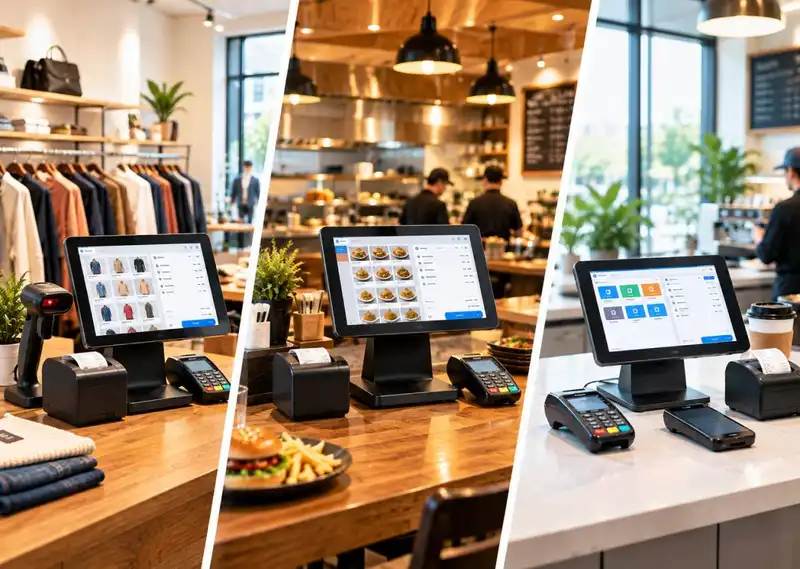
The right POS system totally depends on how you serve. POS terminals suit busy counters, tablets and mobile tableside service, and kiosks for high-volume quick service.
Choosing a POS system can look simple until you start comparing options. One provider talks about cloud software, another focuses on terminals, and a third sells a mobile setup that can run from a phone or tablet. The problem is that these aren't just different brands. They are different ways of running your checkout, payments, inventory, and day-to-day operations.
Choosing the wrong setup can mean paying for hardware you don't need, forcing employees to work around a clunky checkout, or replacing the system sooner than expected. The right choice depends on how you sell, where your staff works, how many locations you operate, and how much you need the POS to connect with the rest of your business.
In this blog, we'll break down the major types of POS systems, including cloud, on-premise, mobile, tablet, kiosk, multichannel, open-source, and terminal-based systems. You'll also see who each option is best for, what it typically costs, which integrations matter, and when it may be better to choose something else.
A POS system is no longer just the screen where a cashier takes a payment. For many businesses, it has become the place where sales, inventory, customer information, employee activity, and reporting come together. That makes the type of POS you choose an operational decision, not just a hardware purchase.
For a restaurant, the POS may send orders from the front counter or dining room to the kitchen, keep track of tables, update menu availability, and connect with online ordering. In retail, it can scan products, update stock, manage returns, and connect sales data with an online store. Service businesses may use it for appointments, customer records, memberships, and payments.
The biggest benefit is having fewer disconnected processes. When sales and operational data live in one system, teams spend less time entering the same information in different places. That can make reporting easier, reduce avoidable errors, and give owners a clearer view of what is happening across the business.

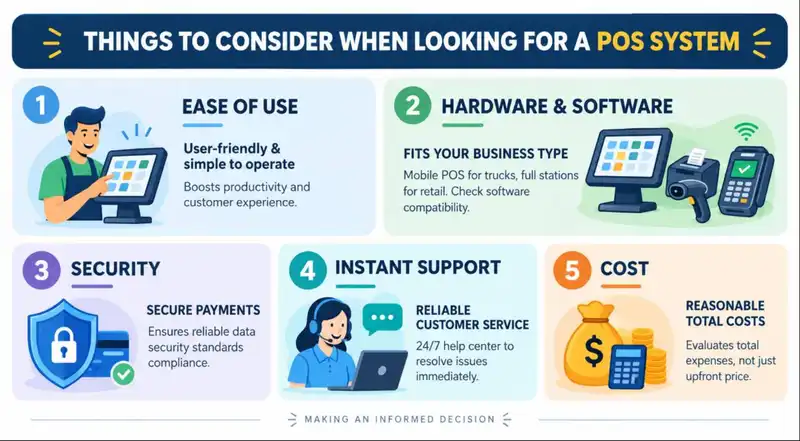
Before comparing features, start with the way your business actually operates. A feature that sounds impressive on a sales page is not useful if your staff never needs it. Think through these areas before you make a shortlist.
Your team should be able to learn the basics quickly, especially if you have hourly employees or frequent staff turnover. Look for a clear interface, simple workflows, role-based permissions, and training resources that do not require a technical background.
Decide whether you need a fixed counter, mobile devices, customer-facing screens, receipt printers, barcode scanners, cash drawers, kitchen displays, or kiosks. Then check that the software supports the hardware you already own or the equipment you plan to buy. A low software price can become expensive if you need to replace every peripheral to make it work.

Payment data needs to be handled securely, and your POS should support the payment platform your customers actually use. Ask how payments are processed, what security standards the provider follows, how user access is controlled, and what happens if a device or account is compromised.
A POS problem during a lunch rush or a busy weekend is more than an IT inconvenience. Check the provider's support hours, response options, onboarding process, and outage procedures before signing up. If offline payments or offline order taking matter to you, confirm exactly what the system can still do without an internet connection.
Do not compare systems using the subscription price alone. Add hardware, payment processing, setup, implementation, support, add-ons, integrations, and future upgrades to get a realistic picture of your total cost of ownership. Pricing varies widely, but current market guides show that POS software can range from free plans to several hundred dollars per month, while hardware can add hundreds or more per station depending on the setup
POS categories can overlap. For example, a cloud POS can run on a tablet, while a terminal POS can use cloud software behind the scenes. The sections below focus on the way each system is deployed or used, so you can compare the options from a buyer's point of view.
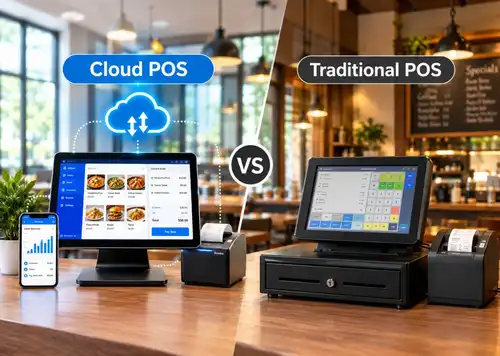
A cloud POS stores and processes business data through a provider's hosted infrastructure rather than keeping the entire system on a local server. Staff usually access it through connected terminals, tablets, or other supported devices, while managers can often view reports and business information from other locations.
Best for- Small and mid-sized businesses, growing retailers, restaurants, and operators with multiple locations.
Typical cost- Often subscription-based. Current market pricing ranges from free entry-level plans to hundreds of dollars per month, with hardware and payment processing added separately depending on the provider.
Typical integrations- Accounting software, ecommerce platforms, payment processors, loyalty programs, inventory tools, payroll, delivery platforms, and business reporting tools.
When to avoid- It may not be the best fit if your location has unreliable connectivity and the provider's offline mode cannot support your critical workflows.
What works well-
A traditional or on-premise POS keeps the core software and business data on equipment controlled by the business, usually at the store or restaurant. It has historically been common in environments that want tighter control over local infrastructure and predictable, fixed checkout stations.
Best for- Businesses that need local control, have dedicated IT support, or rely on workflows that are designed around a fixed location.
Typical cost- Usually higher upfront than a basic cloud subscription because hardware, software licensing, installation, and maintenance can be bundled into the initial investment. Exact costs vary significantly by vendor and customization.
Typical integrations- Barcode scanners, receipt printers, cash drawers, local inventory databases, accounting systems, payment devices, and industry-specific applications.
When to avoid- It may be less attractive for businesses that need remote access, fast multi-location deployment, or frequent software updates without managing the infrastructure themselves.
What works well-
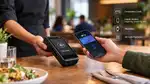
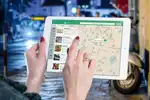
A mobile POS lets staff take payments or complete sales using a smartphone, handheld device, or other portable hardware. Instead of sending every customer to one counter, employees can bring the checkout to the customer.
Best for- Food trucks, pop-up shops, events, field sales, table-side service, and businesses where staff move around during the sale.
Typical cost- Entry-level mobile setups can be relatively inexpensive because they may use existing phones or tablets plus a card reader. More advanced handheld devices and business software can raise the total cost.
Typical integrations- Mobile card readers, printers, inventory, customer profiles, loyalty, accounting, ecommerce, and digital wallets.
When to avoid- A basic mobile system may feel limiting if you need complex inventory, detailed restaurant workflows, large product catalogs, or multiple fixed peripherals at one station.
What works well-
A tablet POS sits between a fully mobile setup and a traditional counter system. The tablet provides a larger screen than a phone while staying easy to move, and it can be paired with a stand, card reader, cash drawer, printer, or barcode scanner when a more complete station is needed.
Best for- Cafes, boutiques, small retailers, salons, service businesses, and restaurants that want flexible hardware without a large terminal footprint.
Typical cost- Tablet POS setups can start with a relatively low hardware investment, but the final cost depends on the tablet, stand, payment device, peripherals, software, and subscription plan.
Typical integrations- Barcode scanners, receipt printers, cash drawers, payment terminals, inventory, customer profiles, accounting, loyalty, and e-commerce.
When to avoid- Avoid relying on consumer-grade tablets for demanding environments if your operation needs rugged hardware, long shifts, or specialized peripherals that the tablet setup cannot support well.
What works well-
A self-service kiosk lets customers browse products or menus, customize an order, and pay without going through a cashier for every step. The model is especially useful when a business wants to increase ordering capacity without adding a staff member to every transaction.
Best for- Quick-service restaurants, cinemas, large-format retail, cafeterias, and other high-volume environments where customers can complete standardized transactions themselves.
Typical cost- Kiosks usually cost more upfront than a basic tablet because they combine a dedicated screen, enclosure, payment hardware, and kiosk software. Customization can increase the cost further.
Typical integrations- Restaurant POS, kitchen display systems, payment processing, menu management, loyalty, order-ahead systems, inventory, and customer-facing promotions.
When to avoid- A kiosk may not make sense if most purchases require detailed assistance, negotiation, consultation, or a highly personal service experience.
What works well-
A multichannel POS connects sales activity across physical stores and other channels such as e-commerce or mobile ordering. The goal is to give the business one view of products, orders, and customers instead of maintaining separate systems that do not communicate with each other.
Best for- Retailers and brands selling through stores, websites, marketplaces, mobile apps, or multiple sales channels.
Typical cost- Usually subscription-based, with higher tiers or add-ons for advanced inventory, ecommerce, analytics, loyalty, and multi-location features.
Typical integrations- Ecommerce platforms, marketplaces, payment gateways, shipping tools, accounting, inventory, CRM, loyalty, and marketing platforms.
When to avoid- It may be more complexity than you need if you only sell from one physical location and have no plans to add another sales channel.
What works well-
An open-source POS gives businesses access to the underlying software code, allowing developers to modify the system or build custom functionality. This can be useful for organizations with specific workflows that standard POS products cannot handle easily.
Best for- Businesses with in-house developers, technical partners, or unusual workflows that justify customization.
Typical cost- The software may be free or low-cost, but the real expense can come from development, hosting, security, maintenance, integrations, and ongoing technical support.
Typical integrations- Custom APIs, accounting, inventory, e-commerce, payment gateways, customer databases, and internal business systems.
When to avoid- It is usually not a good fit if your team does not have the technical resources to maintain the system after implementation.
What works well-
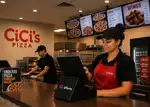
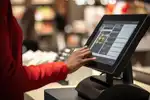
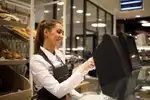
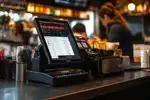
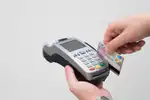
A terminal POS is the familiar fixed checkout station found at many stores, restaurants, and service counters. It typically combines a display with payment hardware and may also connect to a cash drawer, receipt printer, scanner, customer display, or other peripherals.
Best for- Retail stores, restaurants, supermarkets, and businesses where customers regularly complete purchases at a fixed checkout point.
Typical cost- A complete terminal setup can range from a few hundred dollars for basic hardware to well over $1,000 for a more advanced station, before software and payment costs. Current market guides show hardware costs vary substantially by device and configuration.
Typical integrations- Payment terminals, barcode scanners, cash drawers, receipt printers, inventory, accounting, loyalty, kitchen systems, and customer displays.
When to avoid- A fixed terminal may be limiting when employees need to take orders or payments throughout the store, on the floor, or at events.
What works well-
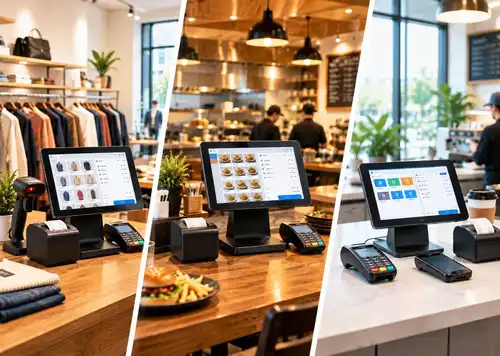
The same basic checkout technology can look very different depending on the industry. A restaurant needs fast order routing and kitchen communication, while a retailer may care more about product variants and inventory. Here is how POS systems are commonly used across different business types.
Retail POS systems typically focus on product catalogs, barcode scanning, inventory, returns, discounts, customer profiles, and sales reporting. Businesses with both physical and online stores may also need multichannel inventory and order management.
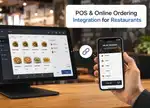
Restaurant POS systems often connect ordering, tables, payments, kitchen workflows, menus, and online ordering. For busy restaurants, integrations with kitchen display systems, delivery services, labor tools, and inventory can be just as important as the payment screen itself.
Service businesses often need a POS that handles appointments, payments, customer profiles, memberships, packages, tips, and staff commissions. A system built around service appointments can be more useful than a retail-first checkout setup.
Hotels may use POS technology for restaurants, bars, room service, retail outlets, and other guest-facing purchases. The important consideration is whether the POS can share data with the property-management and accounting systems used by the hotel.
Food trucks, pop-up shops, market vendors, and event operators usually need lightweight equipment and fast payment processing. A mobile POS can be a better fit than a fixed terminal because the checkout system needs to move with the business.
Once you understand the categories, narrow the list by looking at your actual workflow. Ask these questions before requesting demos or comparing quotes-
Plum POS offers a range of point-of-sale solutions designed around different business needs, so the right choice depends on how and where you operate. Instead of forcing every business into the same hardware setup, the portfolio includes options for fixed counters, mobile transactions, dual-screen checkout, multi-location operations, and compact setups.
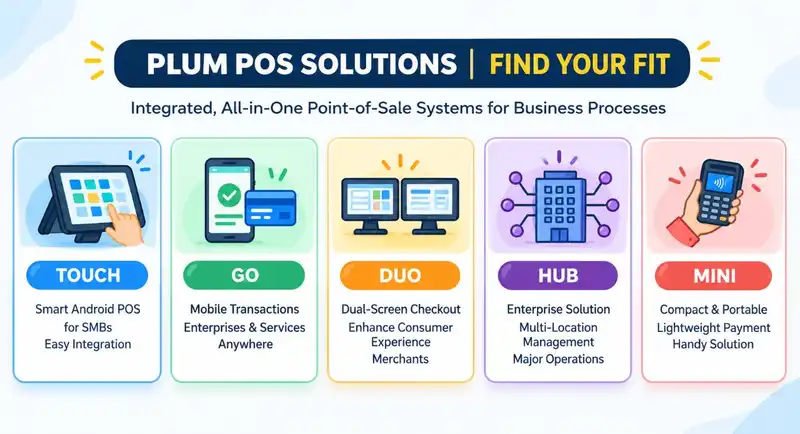
There is no single POS system that is right for every business. A food truck may need a lightweight mobile setup, a busy restaurant may benefit from terminals, tablets, kiosks, and kitchen integrations, while a growing retailer may need cloud and multichannel capabilities to keep stores and ecommerce in sync.
The best approach is to start with your workflow and then choose the technology that supports it. Compare the deployment model, hardware, integrations, offline capabilities, security, support, and total cost instead of choosing a system simply because it has the longest feature list.
If you are looking for a POS platform that can support different business setups as you grow, Plum POS is worth exploring. Schedule a personalized demo to see how its POS solutions can fit your checkout, payment, inventory, reporting, and multi-location needs.












-Benefits-&-POS-Guide-150-90faf61de.webp)






















A cloud POS generally hosts core software and data with the provider and gives businesses remote access through connected devices. An on-premise system keeps the core infrastructure under the business's control at the local site, which can provide more direct control but usually requires more responsibility for maintenance and updates.
Mobile POS is better when staff need to take orders or payments around the store, restaurant, event, or other location. A desktop or fixed terminal is usually better when the business relies on a dedicated checkout station with several connected peripherals.
The total cost depends on software, hardware, payment processing, implementation, and add-ons. Current pricing guides show that POS software can range from free plans to several hundred dollars per month, while hardware may add a few hundred dollars or more per station.
Start with the features your team uses every day- fast checkout, payment processing, inventory, sales reporting, user permissions, customer management, and integrations with your existing tools. Depending on the industry, you may also need kitchen display, appointment booking, loyalty, e-commerce, payroll, accounting, or multi-location management
The main categories include cloud POS, traditional or on-premise POS, mobile POS, tablet POS, self-service kiosk POS, multichannel POS, open-source POS, and terminal POS. These categories can overlap because the same software can run on different types of hardware.
2026-10-12
Read More